Email API From Name (2026): Set a Display Name on a Verified From Address
Rovela’s Emails API documents from as a string like “Acme <hello@example.com>”. How the display name and address work, why the domain must be verified, and how From differs from reply_to and from mailbox SMTP send-as-self.
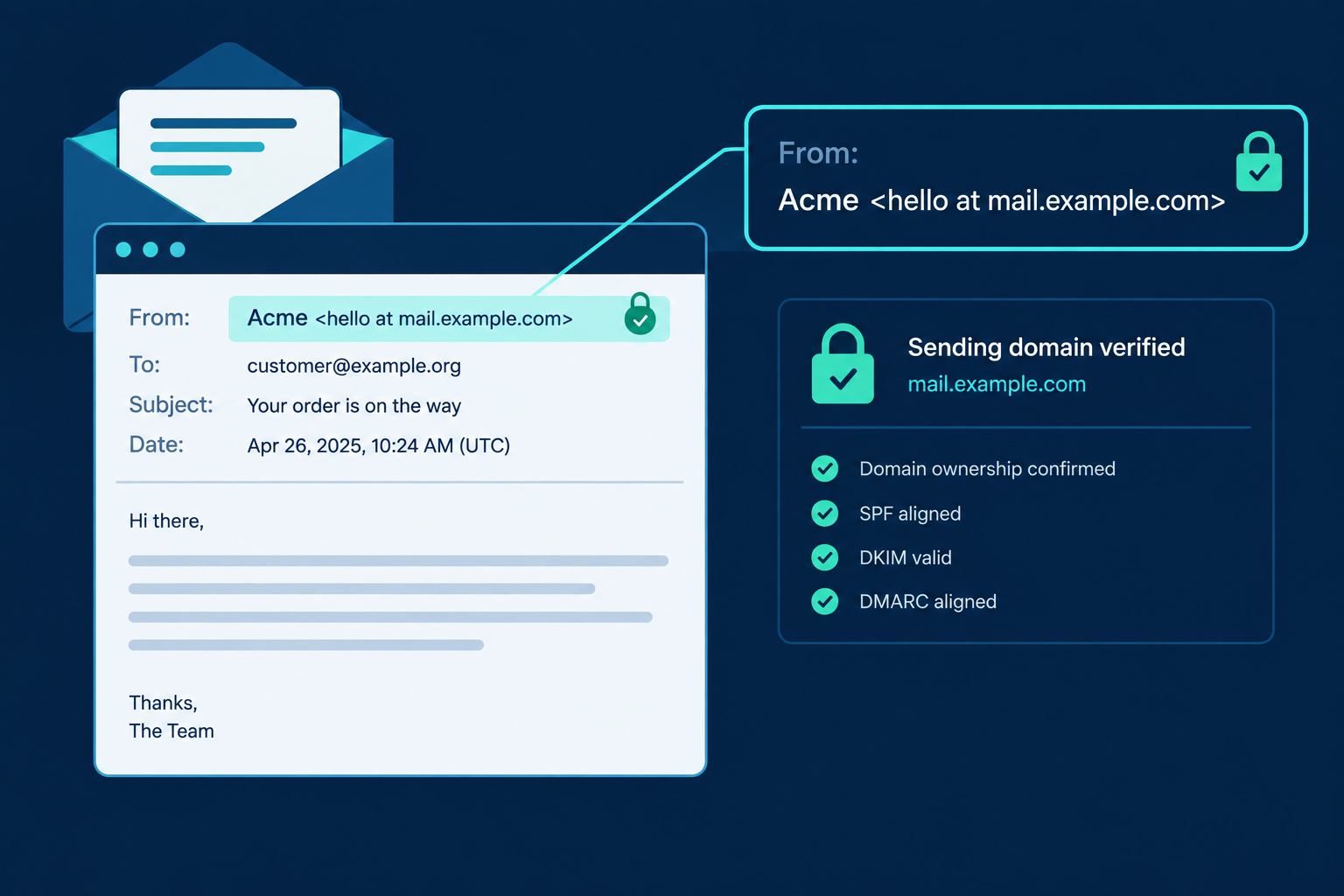
The From field is a display name plus a verified address
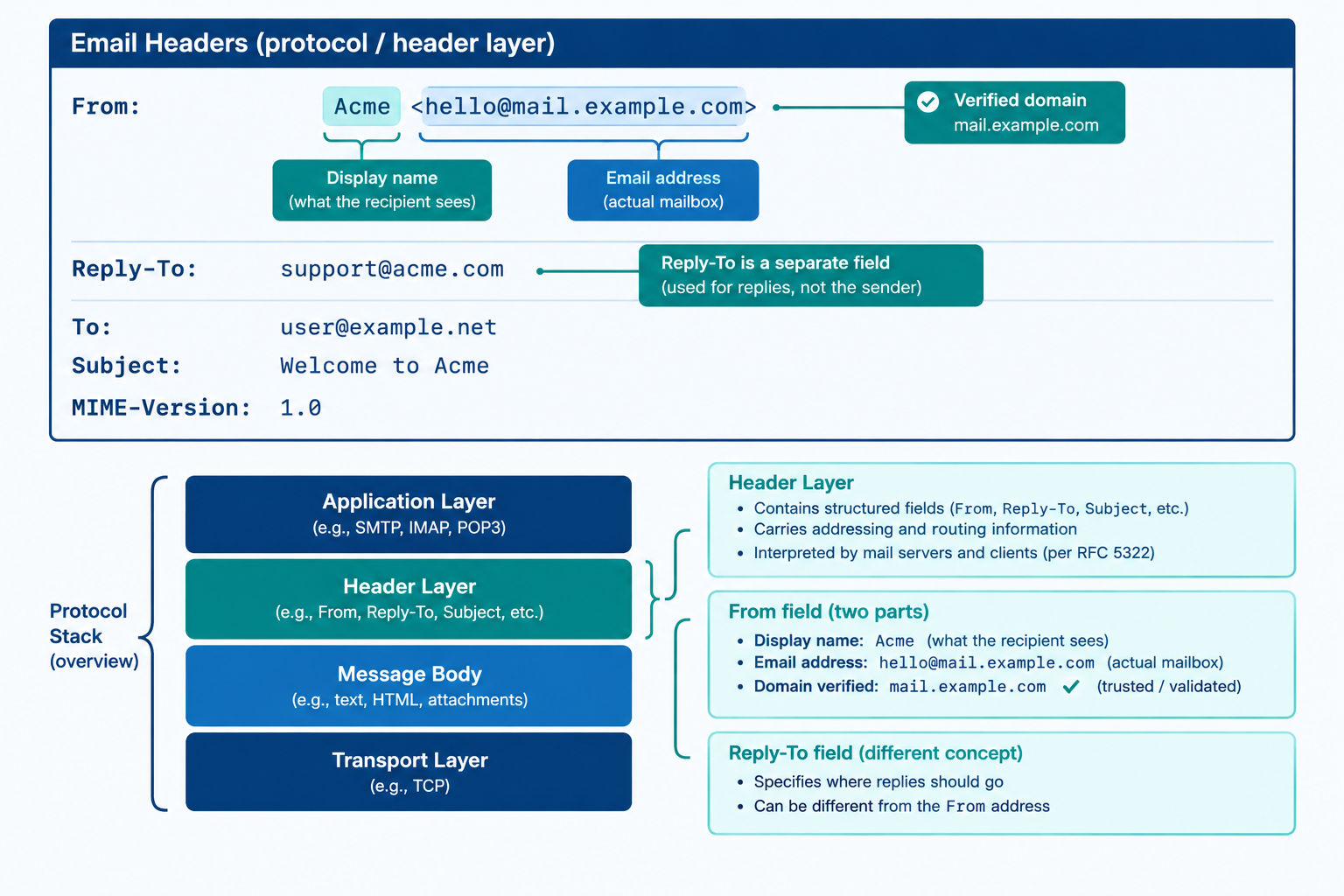
When someone opens a transactional message, they do not first read your HTML. They look at who it is from. On Rovela’s Emails API, that value is a single required string, documented in the form "Acme <hello@example.com>". The part before the angle brackets is the display name — the From name people see in their inbox. The part inside the angle brackets is the email address, and the domain of that address must be a verified sending domain.
That one field answers a product-search question teams type constantly: how do I set a From name on an email API? You do not send a separate from_name property. You do not invent a custom header for the display name when the first-class from field already carries it. You write the documented string, on a domain you have verified, and you send with POST /emails.
This is not a Reply-To tutorial. reply_to is a different, optional field that says where a human reply should go (Email API Reply-To). It does not replace from, and it does not relax the verification rule. This is also not a DNS setup guide — start from domain setup and what is domain email if the domain itself is still unverified.
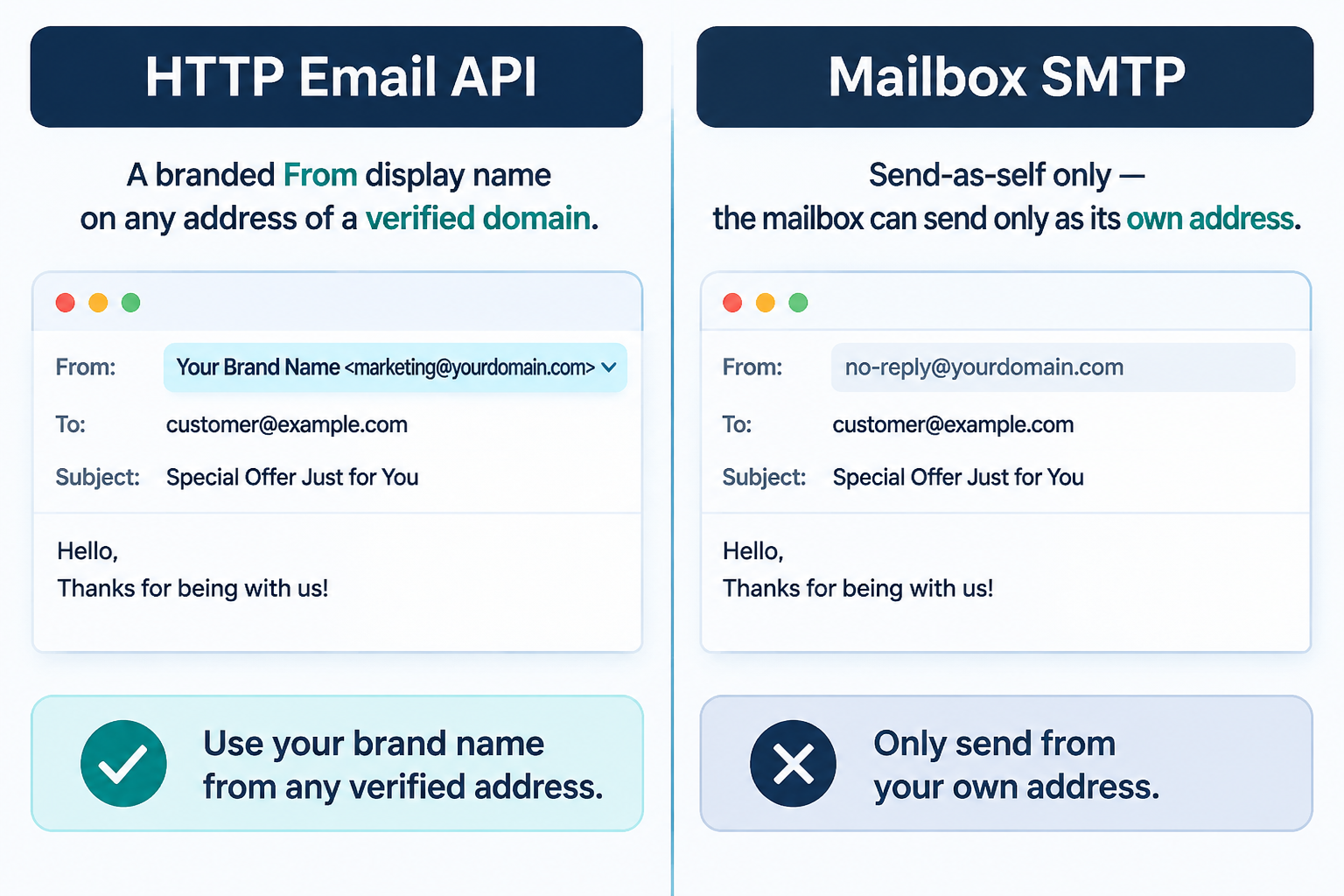
If you are choosing HTTP versus a mail-app server, read Email API vs SMTP. The distinction matters here: mailbox SMTP is send-as-self. The HTTP API is how you brand from as any address on a verified domain, with a display name of your choosing.
What the documentation actually requires
The Emails API request body lists from as a required string: sender, as "Acme <hello@example.com>". Must be on a verified domain. The Quick Start and first-email guide use the same shape in every example:
curl -X POST https://api.rovela.dev/emails \
  -H "Authorization: Bearer $ROVELA_API_KEY" \
  -H "Content-Type: application/json" \
  -H "Idempotency-Key: invoice-10043-ready" \
  -d '{
    "from": "Acme <hello@mail.acme.com>",
    "to": "alice@example.com",
    "subject": "Your invoice is ready",
    "html": "<p>Invoice 10043 is ready to view.</p>",
    "text": "Invoice 10043 is ready to view."
  }'
The same body in a server-side fetch:
await fetch("https://api.rovela.dev/emails", {
  method: "POST",
  headers: {
    Authorization: "Bearer " + process.env.ROVELA_SENDING_KEY,
    "Content-Type": "application/json",
    "Idempotency-Key": "invoice-10043-ready",
  },
  body: JSON.stringify({
    from: "Acme <hello@mail.acme.com>",
    to: "alice@example.com",
    subject: "Your invoice is ready",
    html: "<p>Invoice 10043 is ready to view.</p>",
    text: "Invoice 10043 is ready to view.",
  }),
});
There is no official SDK. Authenticate with Authorization: Bearer re_… (Authentication). A 200 response is {"object": "email", "id": "..."} and means accepted and queued, not delivered.
You can also write from as a bare address ("hello@mail.acme.com"). The batch example in the Emails API does that. The display-name form is what this guide is about, because that is what recipients see as the sender name. If you omit the name, the client typically shows the local part or the full address instead of your brand.
The address still has to belong to a domain you verified. An unverified or foreign domain is refused with a 400 that names the domain — it is not accepted and then quietly rewritten. That rule exists so you cannot impersonate a domain you do not control. It is email authentication in the SPF/DKIM/DMARC sense, which is why the first-email guide often recommends a sending subdomain such as mail.example.com.
Choosing a display name that matches the product
The display name is a product decision, not a deliverability trick. A few patterns that stay honest:
- Brand name, such as
Acme <hello@mail.acme.com>orAcme <no-reply@mail.acme.com>. The usual default for receipts, invoices, and “your export is ready” notes. People recognize the product, not an individual. - Brand plus role, such as
Acme Billing <billing@mail.acme.com>orAcme Security <security@mail.acme.com>. Useful when several kinds of mail share one sending domain and you want the inbox list to stay scannable. - A named person, such as
Ada from Acme <ada@mail.acme.com>, only when that person (or a shared mailbox behind that address) will actually stand behind the message. A fake personal name on automated mail is how “why did this stranger email me?” reports start.
The display name is not a substitute for a monitored inbox. If the body asks the reader to reply, set reply_to to an address a human reads, which may be a business mailbox on the same domain, an inbound address, or an inbox you already run. The From name can stay the brand; the reply can go to support. Those are different fields on purpose.
Keep the name short and stable. Inbox lists truncate long From names. Changing the name every week (“Acme”, then “Acme Team”, then “The Acme Crew”) makes it harder for recipients to recognize you. Matching the name to the visible brand on your site and to the domain in the address is more useful than packing keywords into the display name.
Unicode in a display name is a client-rendering issue, not an extra API feature. If you send a localized name, test it in the mail clients your users actually use. The API field is still the same string. Do not invent a second from_name_zh property.
For account-security mail — password resets, new-device alerts, one-time codes — a clear brand name plus a no-reply or security address is usually better than a friendly first name. The official verification code and password reset examples use a brand-style from such as Acme <no-reply@yourdomain.com>. This article will not redo those flows.
From is not Reply-To, and it is not mailbox SMTP
Three things get confused with a From name:
from— who the message is allowed to appear to come from, including the display name. Required. Domain must be verified.reply_to— where a Reply should be addressed. Optional. String or array. Does not have to equalfrom. Does not, by itself, create a mailbox or turn on inbound webhooks.- Mailbox SMTP From — a Rovela mailbox sending through
mx.rovela.dev:465with a device credential can send only as itself. A leaked mailbox credential cannot impersonate another address on the domain. That is a safety feature for mail apps, and it is why application volume should not use mailbox SMTP as a way to “set From.” Programmatic sends usePOST /emails, wherefrommay be any address on a verified domain, with the display name you choose. The documented SMTP client limit is 30 messages a minute from one client address.
If you need a teammate to see the outbound copy, that is cc or a separate message, not a change to the From name. cc and bcc count toward the 50-recipient cap and toward monthly quota (Email API CC and BCC).
headers is a documented optional object for custom headers. If a first-class field already exists — from, reply_to, cc, bcc — use the field. Do not also set a From header inside headers in the hope of overriding the display name. The from field is what this guide uses.
Verification, keys, and the errors you will see
You cannot pick a polished display name and skip domain verification. The Quick Start is blunt: you cannot send from a domain you have not verified. Create an account, add the domain, publish the DNS records the dashboard shows you, and click Verify (domain setup guide). A subdomain such as mail.example.com is a normal way to isolate transactional reputation from the root domain, while the display name remains “Acme.” The address might be hello@mail.acme.com and the name still Acme.
API keys are orthogonal to the display name, but they decide whether the send is even accepted. A sending_access key can send and nothing else — the right default for production. A full_access key can also read messages and events and manage domains, templates, and webhooks. The full key is shown once (Authentication). If you send for several brands from one organization, restrict a key to a single domain so a leaked key cannot send as somebody else, and keep each brand’s From name inside that brand (Email API for multi-tenant SaaS).
Errors use the documented envelope (Email API error handling):
{
  "statusCode": 400,
  "name": "Bad Request",
  "message": "html or text body is required"
}
A bad or unverified from is a 400 that names the domain, not a “it sent but looks wrong later” problem. A missing html/text/template is also a 400 — at least one of those is required; send both html and text when you can (HTML email API). A 401 is a missing or invalid key, or a sending_access key used to read, reschedule, or cancel. A 429 is a rate limit or monthly allowance; official examples mention Retry-After, and each batch entry counts individually (Pricing). A 200 is still not delivery; confirm with the dashboard, GET /emails/:id/events (full_access), or a webhook (Email delivery status API).
There is no sandbox. Free-plan keys send real mail, so rehearsals should use a verified staging subdomain and recipients you control (test a transactional email API). Put an Idempotency-Key on any send a queue might retry.
A compact From-name checklist
- Verify the sending domain (or a sending subdomain) before any production
from. - Write
fromas"Brand <address@verified-domain>". Do not invent a separatefrom_namefield. - Keep the display name short, stable, and honest — a brand or a role, not a fake person.
- Use
reply_towhen a human should be able to answer; do not overloadfromto do that job. - Do not use mailbox SMTP to “set From” for application volume. A mailbox can send only as itself.
- Restrict keys by domain if several brands share one organization, and keep each From name inside its brand.
- Treat a 400 that names the domain as a verification or ownership problem, not a typography problem.
- Remember that 200 means queued. Confirm delivery with webhooks or the events API.
The From name is a small string with a large effect on whether a transactional message looks like it came from you. Rovela’s API does not hide that string behind an SDK or a second field. It is the documented from value, on a domain you have proven you own, signed and sent over POST /emails.