WorkOS AuthKit Transactional Email with Rovela (2026)
Custom WorkOS AuthKit invite, Magic Auth, verification, and password-reset mail via Rovela POST /emails—WorkOS owns identity/SSO; app sends; Rovela delivers. Not a WorkOS replacement; distinct from Clerk and Cognito guides.
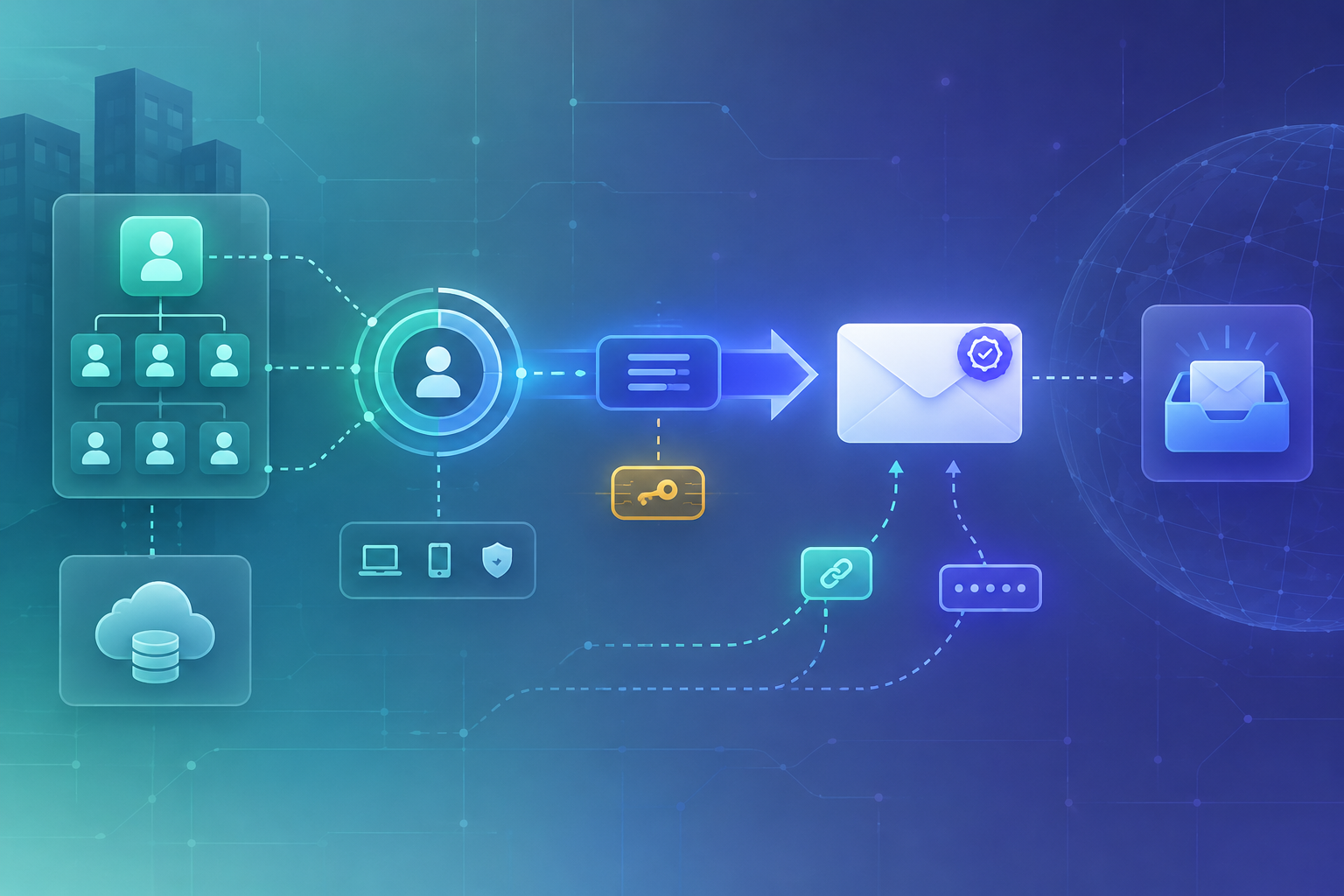
WorkOS owns identity — Rovela delivers the mail
WorkOS is an enterprise-ready identity platform: AuthKit (hosted or headless auth UI), SSO, Directory Sync, organizations, invitations, Magic Auth, email verification, and password reset. Out of the box AuthKit can send those emails for you. Many B2B teams then need custom transactional copy—branded invite HTML, bilingual Magic Auth codes, a dedicated mail. subdomain with its own reputation, or the same deliverability stack they already use for invoices and product alerts.
This guide keeps WorkOS for identity (AuthKit, SSO, Directory Sync, User Management) and sends app-owned AuthKit emails—invitations, Magic Auth codes, email verification, password reset—by calling Rovela’s HTTP API from a trusted backend that handles WorkOS webhooks or API responses.
Rovela does not replace WorkOS. It does not run SSO, Directory Sync, AuthKit hosted pages, organizations, or session issuance. WorkOS remains the source of truth for users and orgs; your server fetches invitation / Magic Auth / verification objects (or reads them from the create API), then Rovela only queues, DKIM-signs, and delivers via POST https://api.rovela.dev/emails (Send Email API, Quick Start).
This is not Clerk + Rovela (Clerk webhooks / Backend API). It is not AWS Cognito custom email, Auth.js / NextAuth, or a framework OTP walkthrough. The integration surface here is WorkOS AuthKit custom emails (events + Get APIs) plus your Node (or other) server secrets.
When to keep WorkOS email vs route through Rovela
| Need | Typical path |
|---|---|
| Stock AuthKit invitation / Magic Auth / verify / reset mail | WorkOS default emails are fine to start |
| Custom HTML, brand layout, code-in-subject, bilingual copy | Disable default emails → app send → Rovela |
Separate reputation on mail.yourdomain.com | Verified Rovela domain + your from |
| Product mail that is not an AuthKit template (welcome, invoice) | Always app-owned → Rovela |
| You still want AuthKit, SSO, and Directory Sync | Keep WorkOS for identity; swap only the mail transport for AuthKit email flows |
Common pattern: turn off default AuthKit emails in the WorkOS Dashboard (Emails → Configuration → Manage), subscribe to the relevant events (or send from the create-API response), retrieve the secret the event deliberately omitted, then deliver with Rovela.
What you own vs what Rovela sends
Your app (plus WorkOS) owns:
- Users, organizations, SSO, Directory Sync, and AuthKit (WorkOS)
- Disabling default AuthKit emails when you take over delivery
- Handling
invitation.created/invitation.resent,magic_auth.created,email_verification.created,password_reset.created(webhooks or Events API) - Calling Get Invitation / Get Magic Auth / Get Email Verification / Get Password Reset so you have
accept_invitation_url,code, orpassword_reset_url(events omit those secrets on purpose) - Verifying WorkOS webhook signatures and deduplicating deliveries
- A stable
Idempotency-Keyper logical send
Rovela owns:
POST /emailswithAuthorization: Bearer+ asending_accesskey- Queueing, signing, retries, bounce/complaint handling
A 200 means accepted and queued, not “already in the inbox” (Quick Start).
Prerequisites
- Verified sending domain in the Rovela dashboard. Unverified
fromdomains are refused with400(Quick Start). Prefer a subdomain such asmail.example.comfor auth mail (Why OTP and magic-link emails go to spam). - An API key that looks like
re_…. Prefersending_accessfor production senders (Authentication). - A WorkOS environment with API keys, AuthKit enabled, and (for event-driven mail) a webhook endpoint. Disable the AuthKit email types you will send yourself under Emails → Configuration.
- Confirm redirect URLs for invitations and password reset under Applications → your application → Redirects when you use AuthKit hosted flows or your own acceptance path.
- Never put the Rovela key or WorkOS secret in the browser or a public repo. Only a trusted server may call Rovela or the WorkOS API.
Store secrets in the environment
# Example for a Node / Next.js server — names are conventional
export ROVELA_API_KEY=re_your_sending_access_key
export ROVELA_FROM='Acme <security@mail.example.com>'
export WORKOS_API_KEY=sk_...                 # WorkOS API key
export WORKOS_WEBHOOK_SECRET=whsec_...       # from WorkOS Dashboard → Webhooks
Rotate by updating the env and redeploying; revoke the old Rovela key in the dashboard when done (Authentication). Keep WorkOS and Rovela credentials in the same secret store your host already uses.
Shared Rovela sender helper
const ROVELA_URL = "https://api.rovela.dev/emails";
export async function sendRovelaEmail(opts: {
to: string;
subject: string;
html: string;
text: string;
idempotencyKey: string;
}) {
const apiKey = process.env.ROVELA_API_KEY!;
const from = process.env.ROVELA_FROM!;
const res = await fetch(ROVELA_URL, {
method: "POST",
headers: {
Authorization: `Bearer ${apiKey}`,
"Content-Type": "application/json",
Accept: "application/json",
"Idempotency-Key": opts.idempotencyKey.slice(0, 256),
},
body: JSON.stringify({
from,
to: opts.to,
subject: opts.subject,
html: opts.html,
text: opts.text,
}),
});
const data = await res.json().catch(() => ({}));
if (!res.ok) {
// Do not log API keys. Surface status + provider message only.
const err = new Error(
`rovela_send_failed ${res.status} ${data.message || ""}`,
);
(err as Error & { status?: number }).status = res.status;
throw err;
}
return data as { object: string; id: string };
}
function escapeHtml(s: string) {
return s
.replace(/&/g, "&")
.replace(/</g, "<")
.replace(/>/g, ">")
.replace(/"/g, """);
}
Pattern A: invitation email (invitation.created / invitation.resent)
WorkOS emits invitation.created when an invite is created and invitation.resent when it is resent. Event payloads omit token and accept_invitation_url on purpose. After you verify the webhook signature, call Get Invitation with the invitation id, then email the recipient.
Subscribe to both invitation.created and invitation.resent. If you only handle created, Dashboard resends will quietly deliver nothing.
import { WorkOS } from "@workos-inc/node";

const workos = new WorkOS(process.env.WORKOS_API_KEY!);

// Inside your verified webhook handler, after signature check + dedupe:
async function handleInvitationEvent(invitationId: string, eventId: string) {
  const invitation = await workos.userManagement.getInvitation(invitationId);
  // invitation.email, invitation.accept_invitation_url, invitation.expires_at,
  // invitation.organization_id, invitation.inviter_user_id, …

  const url = invitation.acceptInvitationUrl; // or build from invitation.token
  const email = invitation.email;

  await sendRovelaEmail({
    to: email,
    subject: "You're invited to Acme",
    html:
      `<p>You have been invited to join Acme.</p>` +
      `<p><a href="${escapeHtml(url)}">Accept invitation</a></p>` +
      `<p>If the button does not work, paste this URL into your browser:</p>` +
      `<p>${escapeHtml(url)}</p>`,
    text:
      `You have been invited to join Acme.\n\n` +
      `Accept invitation: ${url}\n`,
    // Stable across WorkOS retries for the same event; new key on deliberate resend path if needed
    idempotencyKey: `workos-invite-${invitationId}-${eventId}`,
  });
}
If your backend created the invite with the Send Invitation API, the response already includes the secrets—you can send immediately from that object and still keep the webhook handler for invites created in the Dashboard.
For most AuthKit setups, accept_invitation_url is the right link. If you host your own acceptance UI, build a URL from token / invitation_token and pass it into the authenticate methods WorkOS documents. Product invite UX that is not AuthKit at all still belongs in your app + Rovela (same POST /emails shape).
Pattern B: Magic Auth code (magic_auth.created)
Magic Auth is WorkOS’s email code login: create or receive a Magic Auth object, email the six-digit code (valid on the order of minutes per WorkOS docs), and let AuthKit or your UI collect it. Events omit the code; Get Magic Auth returns it.
async function handleMagicAuthCreated(magicAuthId: string, eventId: string) {
  const magic = await workos.userManagement.getMagicAuth(magicAuthId);
  const email = magic.email;
  const code = magic.code; // six digits — never log in production

  await sendRovelaEmail({
    to: email,
    subject: `Your Acme code: ${code}`,
    html:
      `<p>Your sign-in code is</p>` +
      `<p style="font-size:28px;font-weight:600;letter-spacing:4px"><b>${escapeHtml(code)}</b></p>` +
      `<p>It expires soon. If you did not ask for it, ignore this email.</p>`,
    text:
      `Your sign-in code is ${code}. It expires soon. ` +
      `If you did not ask for it, ignore this email.`,
    idempotencyKey: `workos-magic-${magicAuthId}-${eventId}`,
  });
}
If you call Create Magic Auth yourself, send from the API response and skip the event path for that request. Prefer putting the code in the subject as well as the body so mobile notification previews stay useful (Email verification codes).
Pattern C: email verification + password reset
Same shared shape for the other two AuthKit email types after you disable defaults:
- Email verification — handle
email_verification.created(or theemail_verification_requiredAPI error’s id), Get Email Verification, email thecodetoemail. - Password reset — handle
password_reset.created, Get Password Reset, emailpassword_reset_url(or a URL you build frompassword_reset_token). Confirm the password-reset redirect under your application’s Redirects settings.
async function handlePasswordResetCreated(resetId: string, eventId: string) {
  const reset = await workos.userManagement.getPasswordReset(resetId);
  const url = reset.passwordResetUrl;
  const email = reset.email;

  await sendRovelaEmail({
    to: email,
    subject: "Reset your Acme password",
    html:
      `<p>Reset your password:</p>` +
      `<p><a href="${escapeHtml(url)}">Choose a new password</a></p>` +
      `<p>If you did not request a reset, you can ignore this email.</p>`,
    text:
      `Reset your password: ${url}\n` +
      `If you did not request a reset, ignore this email.`,
    idempotencyKey: `workos-reset-${resetId}-${eventId}`,
  });
}
WorkOS documents the four AuthKit custom-email flows together (invitations, Magic Auth, verification, password reset). Rovela is only the transport once you have the link or code—do not invent SSO or Directory Sync email features that WorkOS does not expose this way.
Webhooks, Events API, and idempotency
WorkOS can deliver via webhooks or the Events API. Either way:
- Verify signatures before trusting the payload
- Treat delivery as at-least-once: dedupe on event id
- Remember events omit secrets—always Get* before sending
- Pass a stable Rovela
Idempotency-Key(≤ 256 chars, remembered 24 hours) so a timeout does not mint two codes or two invites that disagree (emails API) - A deliberate resend that should produce a new message needs a new key (WorkOS’s
invitation.resentalready gives you a fresh event id to fold in)
Return 2xx from the webhook only after the send is accepted or safely enqueued in your own job system, so WorkOS retries stay predictable.
Errors you will actually hit
Same Rovela shape everywhere (Quick Start):
400naming your domain —fromnot verified in this Rovela org400recipient is suppressed: …— prior bounce/complaint; ask for another address401— bad or revoked key429— honourRetry-After; keep the sameIdempotency-Keyon retry
Do not tell the user “check your inbox” when the API refused the send. On webhook handlers, decide deliberately whether a Rovela failure should return non-2xx (WorkOS retry) or 200 after you enqueue a local job.
Checklist
- Verify
mail.example.com(or your chosen domain) in Rovela; SPF/DKIM/DMARC pass - Create a
sending_accesskey; store only in server env next toWORKOS_API_KEY - In WorkOS: disable the AuthKit email types you will send; register webhook (or poll Events); verify signatures; subscribe to created and
invitation.resent - Get Invitation / Magic Auth / Email Verification / Password Reset before sending—never trust the sparse event alone for secrets
fetchwith bothhtmlandtext+Idempotency-Key- Keep AuthKit / SSO / Directory Sync on WorkOS; use Rovela only as the mail transport
- Watch delivery via dashboard message page or Rovela webhooks—not by assuming
200means inbox
Soft docs: Send Email · Authentication · Email verification codes · Quick Start · WorkOS Custom Emails.