Auth.js / NextAuth Email Provider with Rovela (2026)
Custom Auth.js sendVerificationRequest calling Rovela POST /emails with Idempotency-Key for magic-link sign-in—Auth.js owns tokens; Rovela delivers only. Distinct from Next.js magic-link, Clerk, and Supabase guides.
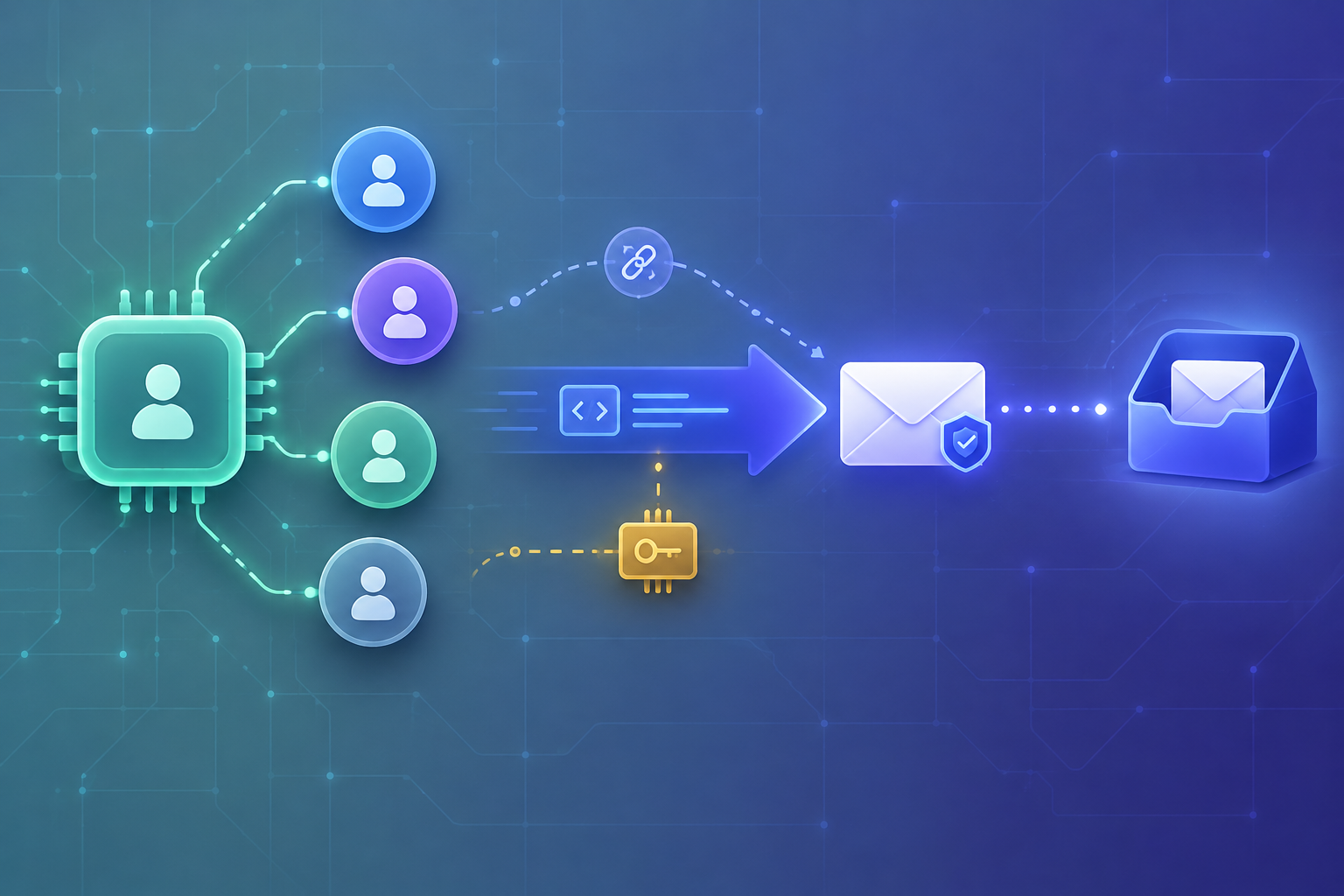
Auth.js owns the magic link — Rovela only delivers it
Auth.js (the library formerly known as NextAuth.js) can sign users in with an Email provider: the user enters an address, Auth.js mints a verification token, stores a hashed copy via a database adapter, and emails a one-time URL. Built-in HTTP providers exist for a few vendors; for Rovela you wire a custom sendVerificationRequest (the same pattern Auth.js documents for “your own HTTP email”).
This guide shows that hook calling Rovela’s flat POST https://api.rovela.dev/emails with an Idempotency-Key, so Auth.js / NextAuth keep owning sessions and tokens while Rovela queues, DKIM-signs, and delivers (Send Email API, Quick Start, Authentication).
Rovela does not replace Auth.js. It does not create users, issue sessions, hash verification tokens, or decide whether a clicked link is valid. Auth.js (plus your adapter) owns the token lifecycle; your sendVerificationRequest only transports the already-built url to the inbox.
Distinct from:
- Next.js magic-link email API — app-minted links without the Auth.js Email provider
- Clerk + Rovela / Supabase + Rovela — hosted auth platforms + webhooks/Edge Functions
- Magic link security best practices — threat model, not a provider wiring guide
What Auth.js does vs what Rovela sends
| Concern | Owner |
|---|---|
Email provider config, maxAge, adapter tables | Auth.js + your DB |
| Generating / hashing the verification token | Auth.js |
Building the callback url the user clicks | Auth.js |
| HTML/text of the sign-in email | Your sendVerificationRequest |
POST /emails, DKIM, queue, bounces | Rovela |
| Redeeming the link and creating the session | Auth.js |
A 200 from Rovela means accepted and queued, not “already in the inbox” (Quick Start).
Prerequisites
- Verified sending domain in the Rovela dashboard. Unverified
fromdomains are refused with400(Quick Start). Prefer something likemail.example.comfor auth mail (Why OTP and magic-link emails go to spam). - An API key shaped like
re_…. Prefersending_accessfor production senders (Authentication). - Auth.js (or NextAuth.js v4) with a database adapter. Email sign-in requires an adapter; it is not optional for this provider type (Auth.js Email, Configuring your own HTTP Email).
- Keep
ROVELA_API_KEY,AUTH_SECRET/NEXTAUTH_SECRET, and DB credentials on the server only—never in a client bundle.
Environment
export ROVELA_API_KEY=re_your_sending_access_key
export ROVELA_FROM='Acme <signin@mail.example.com>'
export AUTH_SECRET="$(openssl rand -hex 32)"   # Auth.js / NextAuth
# Database URL for your adapter (Postgres, etc.) — required for Email provider
Rotate Rovela keys by creating a new one, deploying, then revoking the old key (Authentication).
Register a custom Email provider
Auth.js accepts a provider object with type: "email" and your own sendVerificationRequest. The official HTTP-email guide uses a custom id such as http-email; you then call signIn("http-email", { email }) (or the equivalent in your framework) (Configuring your own HTTP Email).
Minimal Auth.js / Next.js sketch (auth.ts)—adapter omitted for brevity, but it must be configured:
import NextAuth from "next-auth";
import { sendVerificationRequest } from "./lib/rovelaSendVerificationRequest";
// import your database adapter and pass it as `adapter`

export const { handlers, auth, signIn, signOut } = NextAuth({
  adapter, // required for Email provider
  providers: [
    {
      id: "http-email",
      name: "Email",
      type: "email",
      maxAge: 60 * 60 * 24, // link validity — Auth.js default pattern is 24h
      sendVerificationRequest,
    },
  ],
  // pages / callbacks as needed for your app
});
NextAuth.js v4 users typically wrap the same idea with EmailProvider({ sendVerificationRequest, ... }) from next-auth/providers/email—the callback parameters (identifier, url, expires, provider, token, theme) are the same family of inputs (NextAuth Email provider).
sendVerificationRequest → Rovela POST /emails
Auth.js passes you the recipient (identifier) and the ready-to-click url. Do not ask Rovela to invent tokens. Escape hostnames carefully in HTML if you customize the template; never put the raw API key in logs.
// lib/rovelaSendVerificationRequest.ts
const ROVELA_URL = "https://api.rovela.dev/emails";

export async function sendVerificationRequest(params: {
  identifier: string;
  url: string;
  expires: Date;
  token: string;
  // provider, theme, request also available — see Auth.js Email types
}) {
  const { identifier: to, url, expires, token } = params;
  const host = new URL(url).host;
  const apiKey = process.env.ROVELA_API_KEY!;
  const from = process.env.ROVELA_FROM!;

  // Stable across transport retries for the same Auth.js token
  const idempotencyKey = `authjs-email-${token}`.slice(0, 256);

  const escapedHost = host.replace(/\./g, "​.");
  const html =
    `<p>Sign in to <strong>${escapedHost}</strong></p>` +
    `<p><a href="${url}">Sign in</a></p>` +
    `<p>This link expires at ${expires.toISOString()}.</p>` +
    `<p>If you did not request this email, you can ignore it.</p>`;
  const text =
    `Sign in to ${host}\n${url}\n\n` +
    `Expires: ${expires.toISOString()}\n`;

  const res = await fetch(ROVELA_URL, {
    method: "POST",
    headers: {
      Authorization: `Bearer ${apiKey}`,
      "Content-Type": "application/json",
      Accept: "application/json",
      "Idempotency-Key": idempotencyKey,
    },
    body: JSON.stringify({
      from,
      to,
      subject: `Sign in to ${host}`,
      html,
      text,
    }),
  });

  if (!res.ok) {
    const data = await res.json().catch(() => ({}));
    // Do not log API keys — status + provider message only
    console.error("rovela_send_failed", res.status, data.message);
    throw new Error(`Rovela send failed: ${res.status}`);
  }
}
Notes aligned with Rovela’s docs:
- Send both
htmlandtextwhen you can (Send Email API). Idempotency-Key(≤ 256 chars): a retry within 24 hours returns the original acceptance instead of mailing twice—useful if your host retries the Auth.js request after a timeout (Send Email API — Idempotency). Prefer a key derived from Auth.js’stoken(or another stable per-challenge id), not a random UUID on every attempt.frommust be on a verified domain or the API responds400.
Throwing from sendVerificationRequest surfaces a failed sign-in email to Auth.js; that is intentional—silent success with no delivery is worse.
Triggering email sign-in
With provider id: "http-email":
import { signIn } from "@/auth"; // or next-auth/react client helper

await signIn("http-email", { email: "user@company.com" });
Auth.js generates the token, persists the hash through the adapter, builds url, then calls your sender. After the user clicks, Auth.js validates the token against the adapter and establishes the session—Rovela is not in that path.
Deliverability and ops checklist
- Authenticate SPF/DKIM/DMARC for the subdomain you use in
ROVELA_FROM(DKIM setup, DMARC for SaaS). - Keep auth mail on a dedicated subdomain so product newsletters cannot burn the same reputation (spam pitfalls).
- Prefer
sending_accesskeys in production senders; usefull_accessonly when you need to read message events (Authentication). - Rate-limit how often a single address can request a new link at the application layer—Auth.js
maxAgelimits link lifetime, not request flooding. - Do not put the verification
tokenquery string into Rovelatagsor logs if those surfaces are broadly readable; the email body already carries the one-time URL.
Troubleshooting
| Symptom | Likely cause |
|---|---|
Rovela 400 on send | from domain not verified, or missing html/text/template |
Rovela 401 | Missing/invalid Bearer key (Authentication) |
| Auth.js rejects Email provider at boot | No database adapter configured |
| User never gets mail, send returns 200 | Queued but delayed/filtered—check domain auth and spam folder; inspect events with a full_access key if needed |
| Duplicate emails on retry | Missing or non-stable Idempotency-Key |
Summary
Wire Auth.js / NextAuth’s Email provider with a custom sendVerificationRequest that fetches Rovela POST /emails, set a stable Idempotency-Key, and keep secrets on the server. Auth.js remains the source of truth for tokens and sessions; Rovela is the transactional delivery layer—nothing more, nothing less.
Next steps: Quick Start · Send Email API · Auth.js HTTP email guide