Lucia Auth Transactional Email with Rovela (2026)
App-minted Lucia verification links, OTP codes, and magic links delivered via Rovela POST /emails with Idempotency-Key—Lucia owns sessions/tokens; Rovela delivers. Distinct from Better Auth, Auth.js, Clerk, Supabase, Firebase guides.
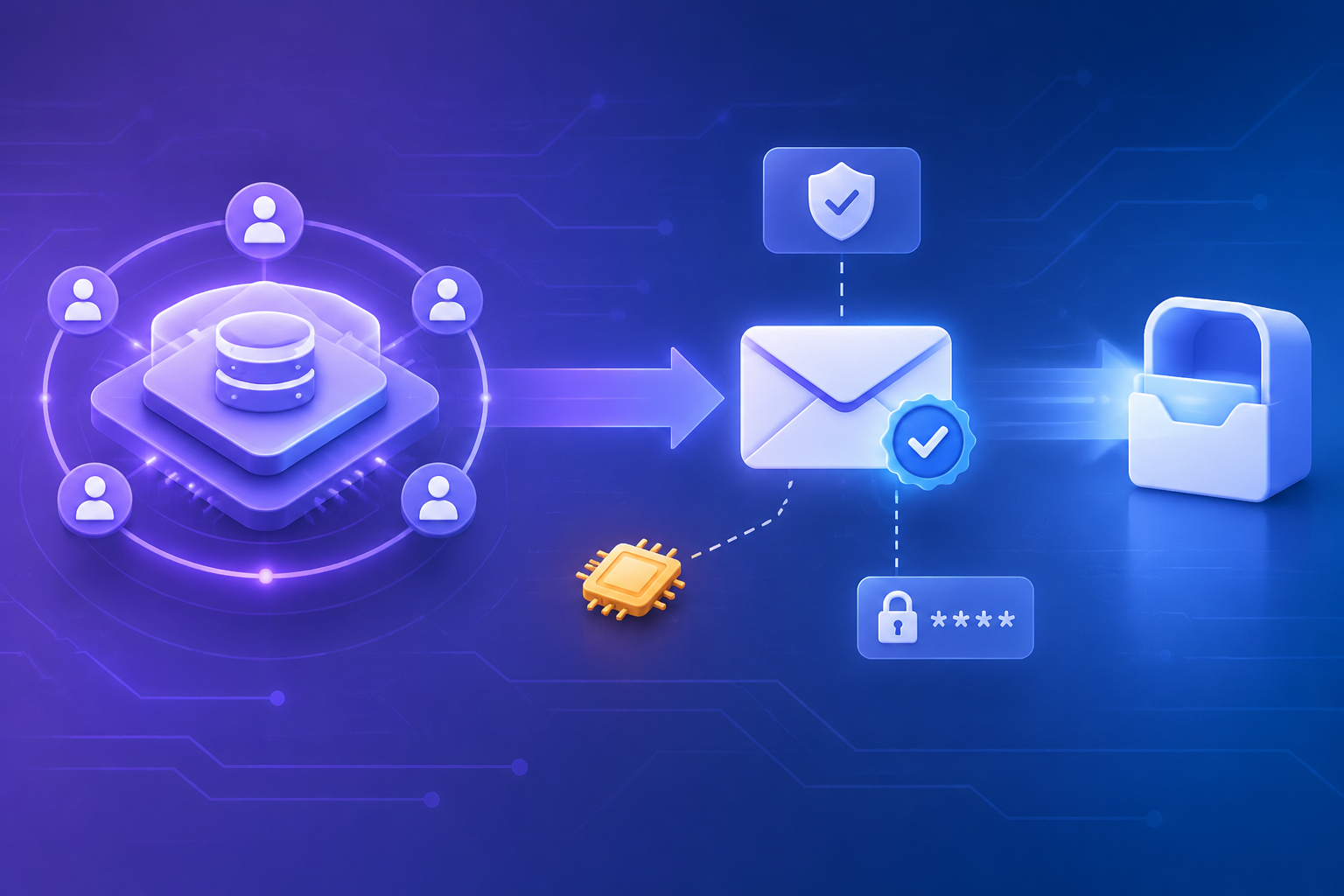
Lucia owns sessions — Rovela only delivers the mail
Lucia is a server-side session library: it creates and validates sessions against your database adapter, issues session cookies, and invalidates sessions on sensitive events. It does not ship a mail transport, an Email provider, or a hosted identity console. You mint verification tokens, magic-link tokens, and OTP codes in your app (tables + helpers such as generateIdFromEntropySize), then you call a sender you own.
This guide wires that sender to Rovela’s flat POST https://api.rovela.dev/emails with an Idempotency-Key, so Lucia keeps owning users (in your schema), sessions, and redeem logic while Rovela queues, DKIM-signs, and delivers (Send Email API, Quick Start, Authentication).
Rovela does not replace Lucia. It does not create users, store sessions, hash verification tokens, decide whether a clicked link or typed OTP is valid, or call createSession / validateSession for you. Your route handlers own challenges; Rovela only transports HTML/text you already built.
Scope note (Lucia v3): Lucia v3’s official docs describe a session-first model (createSession, createSessionCookie, validateSession, invalidateUserSessions) and recommend app-owned email verification tables for links and codes (Sessions, Email verification links, Email verification codes). The project announced deprecation in 2025; this article is for teams still running Lucia-style session auth who need a production mail path—not a claim that Lucia is the right greenfield choice in every stack. We do not invent Lucia APIs beyond what those guides already document at a high level.
Distinct from:
- Better Auth + Rovela — framework hooks (
sendVerificationEmail, plugins) - Auth.js / NextAuth + Rovela — Email provider +
sendVerificationRequest - Clerk / Supabase / Firebase Auth — hosted auth platforms
- Magic link security best practices — threat model, not a Lucia wiring guide
What Lucia does vs what Rovela sends
| Concern | Owner |
|---|---|
| Session create / validate / invalidate + cookies | Lucia + your DB adapter |
User rows, password hashes, email_verified flags | Your database |
| Minting verification / magic-link / OTP challenges | Your app (Lucia helpers + tables) |
| HTML/text of the auth email | Your send helper |
POST /emails, DKIM, queue, bounces | Rovela |
| Redeeming the link/OTP and issuing a new session | Your route + Lucia |
A 200 from Rovela means accepted and queued, not “already in the inbox” (Quick Start).
Prerequisites
- Verified sending domain in the Rovela dashboard. Unverified
fromdomains are refused with400(Quick Start). Prefer a dedicated subdomain such asmail.example.comfor auth mail (Why OTP and magic-link emails go to spam). - An API key shaped like
re_…. Prefersending_accessfor production senders (Authentication). - A Lucia v3 setup with your database adapter, plus the verification token/code tables your product already uses (as in Lucia’s email guides)—not invented here beyond the documented shape.
- Keep
ROVELA_API_KEY, session secrets, and DB credentials on the server only—never in a client bundle.
Environment
export ROVELA_API_KEY=re_your_sending_access_key
export ROVELA_FROM='Acme <auth@mail.example.com>'
# Lucia adapter DB URL / secrets as your app already requires
Rotate Rovela keys by creating a new one, deploying, then revoking the old key (Authentication).
Shared Rovela sender helper
Centralize fetch so every Lucia-adjacent route (signup verification, magic link, OTP) uses the same headers and idempotency rules. Do not ask Rovela to invent tokens—pass through challenges your app already minted.
// lib/rovelaSendAuthEmail.ts
const ROVELA_URL = "https://api.rovela.dev/emails";

export async function rovelaSendAuthEmail(opts: {
  to: string;
  subject: string;
  html: string;
  text: string;
  /** Stable per challenge — retries within 24h reuse the same acceptance */
  idempotencyKey: string;
}) {
  const apiKey = process.env.ROVELA_API_KEY!;
  const from = process.env.ROVELA_FROM!;
  const key = opts.idempotencyKey.slice(0, 256);

  const res = await fetch(ROVELA_URL, {
    method: "POST",
    headers: {
      Authorization: `Bearer ${apiKey}`,
      "Content-Type": "application/json",
      Accept: "application/json",
      "Idempotency-Key": key,
    },
    body: JSON.stringify({
      from,
      to: opts.to,
      subject: opts.subject,
      html: opts.html,
      text: opts.text,
    }),
  });

  if (!res.ok) {
    const data = await res.json().catch(() => ({}));
    // Do not log API keys — status + provider message only
    console.error("rovela_send_failed", res.status, data.message);
    throw new Error(`Rovela send failed: ${res.status}`);
  }
}
Notes aligned with Rovela’s docs:
- Send both
htmlandtextwhen you can (Send Email API). Idempotency-Key(≤ 256 chars): a retry within 24 hours returns the original acceptance instead of mailing twice (Send Email API — Idempotency). Prefer a key derived from the token id or OTP challenge id, not a random UUID on every attempt.frommust be on a verified domain or the API responds400.
Email verification link → Rovela
Lucia’s guide stores a short-lived token in your own table, builds a URL such as /email-verification/<TOKEN>, and leaves sendVerificationEmail to you (Email verification links). After the user signs up you typically create a session with Lucia, then send the link:
import { generateIdFromEntropySize } from "lucia";
import { TimeSpan, createDate } from "oslo";
import { lucia } from "./auth"; // your Lucia instance
import { rovelaSendAuthEmail } from "./lib/rovelaSendAuthEmail";

async function createEmailVerificationToken(
  userId: string,
  email: string,
): Promise<string> {
  // optionally invalidate existing tokens for this user in your DB
  const tokenId = generateIdFromEntropySize(25);
  await db.table("email_verification_token").insert({
    id: tokenId,
    user_id: userId,
    email,
    expires_at: createDate(new TimeSpan(2, "h")),
  });
  return tokenId;
}

// inside signup handler, after inserting the user row:
const verificationToken = await createEmailVerificationToken(userId, email);
const verificationLink =
  `${process.env.APP_ORIGIN}/email-verification/${verificationToken}`;

await rovelaSendAuthEmail({
  to: email,
  subject: "Verify your email address",
  html:
    `<p>Verify your email for Acme</p>` +
    `<p><a href="${verificationLink}">Verify email</a></p>` +
    `<p>If you did not create an account, you can ignore this message.</p>`,
  text: `Verify your email for Acme\n${verificationLink}\n`,
  idempotencyKey: `lucia-verify-${verificationToken}`,
});

const session = await lucia.createSession(userId, {});
const sessionCookie = lucia.createSessionCookie(session.id);
// Set-Cookie + redirect per your framework
On redeem, follow Lucia’s documented flow: validate expiry and email match, mark email_verified, call lucia.invalidateUserSessions(userId), then lucia.createSession again (Email verification links). Rovela is not in that path.
Rate-limit resends by user id and IP as Lucia’s guide recommends—idempotency prevents duplicate identical sends, not flooding with new tokens.
Email verification OTP → Rovela
Prefer codes when you want a phone-friendly UX. Store a short code tied to user_id + email with a short TTL, then email the digits (Email verification codes):
import { alphabet, generateRandomString } from "oslo/crypto";
import { TimeSpan, createDate } from "oslo";
import { rovelaSendAuthEmail } from "./lib/rovelaSendAuthEmail";

async function generateEmailVerificationCode(
  userId: string,
  email: string,
): Promise<string> {
  await db.table("email_verification_code").where("user_id", "=", userId).deleteAll();
  const code = generateRandomString(8, alphabet("0-9"));
  await db.table("email_verification_code").insert({
    code,
    user_id: userId,
    email,
    expires_at: createDate(new TimeSpan(15, "m")),
  });
  return code;
}

const code = await generateEmailVerificationCode(userId, email);

await rovelaSendAuthEmail({
  to: email,
  subject: `Your Acme verification code: ${code}`,
  html:
    `<p>Your verification code is</p>` +
    `<p style="font-size:28px;letter-spacing:6px"><b>${code}</b></p>` +
    `<p>It expires in 15 minutes. If you did not request this, ignore this message.</p>`,
  text: `Your verification code is ${code}. It expires in 15 minutes.`,
  idempotencyKey: `lucia-otp-verify-${userId}-${code}`,
});
After the user submits the code, verify against your table (constant-time compare where practical), throttle brute-force attempts, invalidate sessions, set email_verified, and create a fresh Lucia session—exactly as Lucia’s guide outlines. Prefer not to put raw OTPs into Rovela tags or broadly readable logs.
generateRandomString / oslo usage here mirrors Lucia’s published code-style guides; adjust alphabet/TTL to your product policy. Rovela does not expire or validate the code.
Passwordless magic link (app-minted) → Rovela
Lucia does not require a separate “magic link plugin.” The same token-table pattern works for passwordless sign-in: mint a single-use login token, email the absolute URL, and on click create a Lucia session after checks. Keep click tracking off for auth links (Magic link security).
import { generateIdFromEntropySize } from "lucia";
import { TimeSpan, createDate } from "oslo";
import { rovelaSendAuthEmail } from "./lib/rovelaSendAuthEmail";

async function createMagicLinkToken(email: string): Promise<string> {
  const tokenId = generateIdFromEntropySize(25);
  await db.table("magic_link_token").insert({
    id: tokenId,
    email,
    expires_at: createDate(new TimeSpan(10, "m")),
  });
  return tokenId;
}

const token = await createMagicLinkToken(email);
const url = `${process.env.APP_ORIGIN}/magic-link/${token}`;

await rovelaSendAuthEmail({
  to: email,
  subject: "Your sign-in link",
  html:
    `<p>Sign in to Acme</p>` +
    `<p><a href="${url}">Sign in</a></p>` +
    `<p>If you did not request this, you can ignore this message.</p>`,
  text: `Sign in to Acme\n${url}\n`,
  idempotencyKey: `lucia-magic-${token}`,
});
Redeem handler sketch (high level): load token → check expiry → resolve or create the user row your app already uses → lucia.invalidateUserSessions if you rotate sessions on login → lucia.createSession → lucia.createSessionCookie. Rovela never sees the session id.
Lucia session model (high level)
For readers new to Lucia’s shape (Sessions):
createSession(userId, attributes)— inserts a session row; returns a session includingid.createSessionCookie(sessionId)— builds the cookie you set on the response.validateSession(sessionId)— returns{ session, user }or nulls when invalid; may mark the sessionfreshwhen expiry was extended.invalidateUserSessions(userId)— clears sessions after verification or password change.
Session lifetime is sliding in Lucia’s documented defaults (extended when used near half-life). Align the copy in your emails (“expires in 10 minutes”) with your token/OTP TTL, not with Lucia’s session cookie lifetime—those clocks are independent.
Deliverability and ops checklist
- Authenticate SPF/DKIM/DMARC for the subdomain you use in
ROVELA_FROM(DKIM setup, DMARC for SaaS). - Keep auth mail on a dedicated subdomain so product newsletters cannot burn the same reputation (spam pitfalls).
- Prefer
sending_accesskeys in production senders; usefull_accessonly when you need to read message events (Authentication). - Align token/OTP TTL in your tables with what you promise in the email copy—Rovela does not expire links for you.
- On retries after timeouts, reuse a stable
Idempotency-Keyderived from the challenge so users do not receive two disagreeing codes or links. - After sensitive email actions, invalidate existing Lucia sessions before issuing a new one (as Lucia’s verification guides recommend).
Troubleshooting
| Symptom | Likely cause |
|---|---|
Rovela 400 on send | from domain not verified, or missing html/text/template |
Rovela 401 | Missing/invalid Bearer key (Authentication) |
| Verification never arrives, send returns 200 | Queued but delayed/filtered—check domain auth and spam folder; inspect events with a full_access key if needed |
| Duplicate emails on retry | Missing or non-stable Idempotency-Key |
| Link works but user still “unverified” | Redeem handler did not update email_verified / did not invalidate + recreate session |
| Session cookie missing after redeem | Forgot createSessionCookie / Set-Cookie on the verification response |
Summary
Mint verification links, OTP codes, and magic-link tokens in your Lucia app, then fetch Rovela POST /emails with a stable Idempotency-Key. Lucia remains the source of truth for sessions and cookies; your tables own challenges; Rovela is the transactional delivery layer—nothing more, nothing less.
Next steps: Quick Start · Send Email API · Lucia sessions · Lucia email verification codes