Descope Transactional Email with Rovela (2026)
Route Descope OTP/Magic Link via Rovela SMTP connector, or send Embedded Links, app-minted OTP, and welcome mail with POST /emails—Descope owns Flows/sessions; Rovela delivers. Not a Descope replacement; distinct from Stytch, SuperTokens, WorkOS, Clerk.
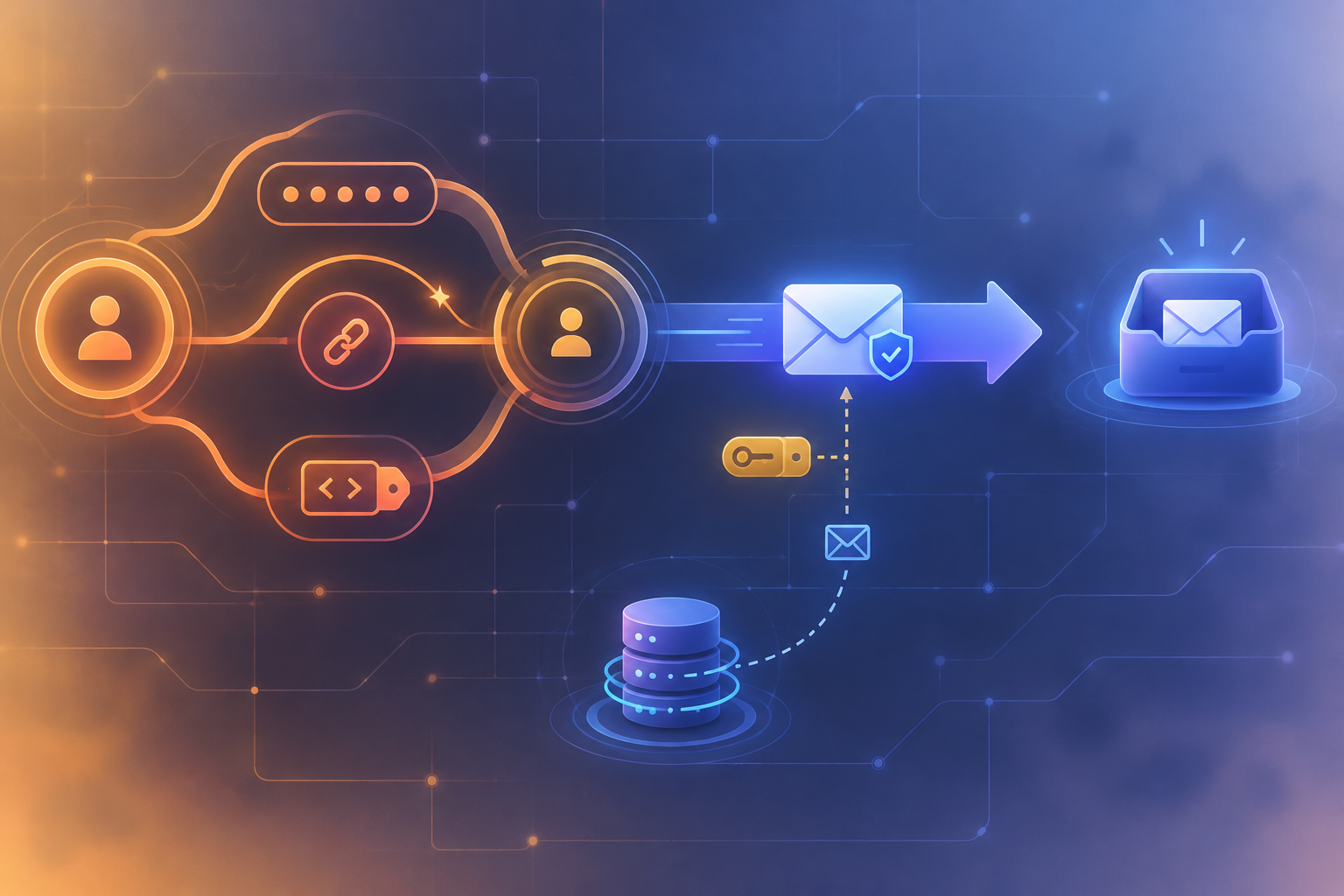
Descope owns Flows and sessions — Rovela delivers the mail you send
Descope is an authentication and user-management platform built around Flows, SDKs, and methods such as Email OTP, Magic Link, Enchanted Link, and Embedded Link. Out of the box Descope can deliver login mail through its default messaging service, or through a messaging connector you configure (generic SMTP, SendGrid, and similar). Many product teams still want app-owned delivery: the same verified mail. subdomain and reputation as invoices and product alerts, bilingual HTML they control end-to-end, or magic-link copy that lives next to the rest of the transactional stack.
This guide keeps Descope for identity (Flows, OTP / Magic Link verify, sessions, tenants) and routes selected transactional mail through Rovela—either by pointing Descope’s SMTP connector at Rovela’s relay, or by calling Rovela’s HTTP API from a trusted backend for Embedded Links, app-minted product OTP, and welcome / invite notes.
Rovela does not replace Descope. It does not host Descope Flows, mint Descope session JWTs, run Descope’s Email OTP / Magic Link send APIs as Descope products, or manage connectors inside the Descope console. Descope remains the source of truth for auth; Rovela only queues, DKIM-signs, and delivers via POST https://api.rovela.dev/emails (Send Email API, Quick Start)—or via SMTP when you configure Descope’s connector against Rovela’s relay.
This is not Stytch + Rovela (Embeddable Magic Links / Consumer API). It is not SuperTokens, WorkOS AuthKit, or Clerk. The surfaces here are Descope messaging connectors, Embedded Link generate + verify, and app-owned product mail after Descope auth.
When to keep Descope delivery vs route through Rovela
| Need | Typical path |
|---|---|
| Stock Email OTP / Magic Link with Descope’s default sender | Descope built-in messaging + templates in Authentication Methods |
| Descope still triggers OTP / Magic Link, but mail leaves from your ESP / domain | Configure Descope SMTP connector → Rovela SMTP (mx.rovela.dev) and select it on OTP / Magic Link settings |
Same HTTP reputation, webhooks, and Idempotency-Key as invoices | App-owned send → Rovela POST /emails |
| Magic / sign-in link you embed in your email | Descope Embedded Link generate → Rovela |
Product OTP / step-up digits you mint (not Descope otp.*.email send) | App mint + HMAC + Rovela; Descope still owns sessions after login |
| Welcome / product invite that is not a Descope auth template | Always app-owned → Rovela |
Important honesty check: Descope’s Email OTP and Magic Link send paths (otp.signUpOrIn.email, magicLink.signUpOrIn.email, Flow “Send OTP / Magic Link” actions) deliver through whatever connector (or default messaging) you selected in the console. There is no public production hook that returns Descope’s live OTP digits so you can email them yourself. Do not invent one. Management generateOTPForTestUser / generateMagicLinkForTestUser are for test users only—not production login. For BYO magic-link delivery in production, use Embedded Link generate + your own mail. For BYO OTP digits, mint them in your app (or keep Descope Email OTP with a connector / default sender).
What you own vs what Rovela sends
Your app (plus Descope) owns:
- Flows, users, tenants, session / refresh JWTs, and OTP / Magic Link / Embedded Link verify calls (Descope)
- SMTP connector configuration when Descope still sends auth mail through Rovela’s relay
- Creating Embedded Link tokens via the management SDK / API (existing users)
- Minting app-owned OTP digits with a CSPRNG; storing HMAC hashes, expiry, attempt counters (your DB—never the raw code)
- Rate limits (“one send per minute per address”)
- Bot / scanner protection on pages that redeem one-time links you emailed yourself
- A stable
Idempotency-Keyper logical HTTP send
Rovela owns:
- SMTP accept on
mx.rovela.dev(when used as Descope’s connector target), and/or POST /emailswithAuthorization: Bearer+ asending_accesskey- Queueing, signing, retries, bounce/complaint handling
A 200 from the HTTP API means accepted and queued, not “already in the inbox” (Quick Start). SMTP handoff similarly means accepted by the relay—not inbox confirmation.
Prerequisites
- Verified sending domain in the Rovela dashboard. Unverified
fromdomains are refused with400(Quick Start). Prefer a subdomain such asmail.example.comfor auth mail (Why OTP and magic-link emails go to spam). - For HTTP sends: an API key that looks like
re_…. Prefersending_accessfor production senders (Authentication). - For the Descope SMTP connector path: a Rovela mailbox credential (full address + app password from Mailboxes → Credentials)—not your dashboard login—and SMTP host
mx.rovela.dev, port 465 (SSL/TLS) or 587 (STARTTLS), as documented for Rovela business mail. - A Descope project with a management key (server-only) when you generate Embedded Links, plus project ID / client credentials as your SDK setup requires. Never put the management key or Rovela key in a browser bundle.
- Never invent Descope or Rovela features beyond what their docs describe.
Pattern A: Descope SMTP connector → Rovela relay
Use this when you want Descope to keep owning Email OTP / Magic Link send inside Flows or SDKs, but every auth message should leave from your Rovela-verified domain and share reputation with other transactional mail.
- In Rovela, verify
mail.example.com(or your chosen domain) and create a mailbox / sending credential for an address on that domain (for examplesecurity@mail.example.com). - In Descope: Dashboard → Connectors → SMTP. Set hostname
mx.rovela.dev, port465(or587with STARTTLS per Descope’s SMTP fields), username = full mailbox address, password = Rovela mailbox credential, sender address (and optional sender name) to a verified Rovela identity. Use Descope’s Test button, then save (SMTP connector guide). - Under Authentication Methods → OTP and Magic Link, select that SMTP connector as the email connector (and customize the template if you use a customized connector). Optionally configure a fallback connector per Descope’s OTP / Magic Link settings docs.
- Keep calling Descope OTP / Magic Link send from Flows or SDKs as usual—Descope still generates codes and links; Rovela only transports the MIME Descope’s connector builds.
Trade-off: connector SMTP does not give you Rovela’s HTTP Idempotency-Key or the same webhook payload shape as POST /emails. Prefer Pattern B/C/D when you need idempotent HTTP retries and unified delivery webhooks for app-composed HTML.
Store secrets for HTTP patterns
# Example for a Node server — names are conventional
export ROVELA_API_KEY=re_your_sending_access_key
export ROVELA_FROM='Acme <security@mail.example.com>'
export CODE_PEPPER="$(openssl rand -hex 32)"
export DESCOPE_PROJECT_ID=P...
export DESCOPE_MANAGEMENT_KEY=K...
export MAGIC_LINK_REDIRECT_URL=https://acme.example/auth/embedded
Rotate by updating the env and redeploying; revoke old Rovela keys in the dashboard (Authentication). Keep Descope management keys and Rovela keys in the same secret store your host already uses.
Shared Rovela HTTP helper
const ROVELA_URL = "https://api.rovela.dev/emails";
async function sendRovelaEmail(opts: {
to: string;
subject: string;
html: string;
text: string;
idempotencyKey: string;
}) {
const apiKey = process.env.ROVELA_API_KEY!;
const from = process.env.ROVELA_FROM!;
const res = await fetch(ROVELA_URL, {
method: "POST",
headers: {
Authorization: `Bearer ${apiKey}`,
"Content-Type": "application/json",
Accept: "application/json",
"Idempotency-Key": opts.idempotencyKey.slice(0, 256),
},
body: JSON.stringify({
from,
to: opts.to,
subject: opts.subject,
html: opts.html,
text: opts.text,
}),
});
if (!res.ok) {
const data = await res.json().catch(() => ({}));
// Do not log API keys. Surface status + provider message only.
console.error("rovela_send_failed", res.status, data.message);
throw new Error(`rovela_${res.status}`);
}
return res.json(); // { object: "email", id: "..." }
}
function escapeHtml(s: string) {
return s
.replace(/&/g, "&")
.replace(/</g, "<")
.replace(/>/g, ">")
.replace(/"/g, """);
}
Use both html and text. Put short codes in the subject when useful so mobile notification previews stay readable (Email verification codes). Pass an Idempotency-Key (≤ 256 chars, remembered 24 hours) so a timeout does not send two disagreeing messages (emails API).
Pattern B: Embedded Link → Rovela (production BYO magic delivery)
When you want Descope to create a one-time sign-in token for an existing user, but your stack to deliver the email (Embedded Link backend guide):
- Ensure Embedded Link is enabled for API/SDK use in Descope Authentication Methods, and that the user already exists.
- Call
management.user.generateEmbeddedLink(loginId, customClaims?)with a management key (server-only). - Build a URL your app will redeem, for example
https://acme.example/auth/embedded?t=…(match your redirect and Descope docs). - Send that URL with Rovela.
- On open, call Descope
magicLink.verify(token)(Embedded Link tokens are verified with the Magic Link verify function) and establish the Descope session.
import DescopeClient from "@descope/node-sdk";

const descope = DescopeClient({
  projectId: process.env.DESCOPE_PROJECT_ID!,
  managementKey: process.env.DESCOPE_MANAGEMENT_KEY!,
});

async function sendEmbeddedLinkEmail(loginId: string, email: string) {
  const resp = await descope.management.user.generateEmbeddedLink(loginId);
  if (!resp.ok) {
    console.error("descope_embedded_failed", resp.code, resp.error?.errorMessage);
    throw new Error(`descope_${resp.code}`);
  }
  const token = resp.data.token;
  const redirect = process.env.MAGIC_LINK_REDIRECT_URL!;
  const url = `${redirect}?t=${encodeURIComponent(token)}`;

  await sendRovelaEmail({
    to: email,
    subject: "Sign in to Acme",
    html:
      `<p>Click to sign in to Acme:</p>` +
      `<p><a href="${escapeHtml(url)}">Sign in</a></p>` +
      `<p>If the button does not work, paste this URL into your browser:</p>` +
      `<p>${escapeHtml(url)}</p>` +
      `<p>If you did not request this, you can ignore the email.</p>`,
    text:
      `Sign in to Acme:\n${url}\n\n` +
      `If you did not request this, ignore this email.`,
    idempotencyKey: `descope-embedded-${loginId}-${token.slice(0, 24)}`,
  });
}
Treat the token as a secret: never log it, never put it in client-side analytics. Add CAPTCHA or similar on the redeem page—email security scanners may pre-click links and consume one-time tokens. Prefer Descope’s built-in Magic Link + connector when you want Descope’s Flow UX and connector templates without composing the URL yourself. Embedded Link is for existing users; do not treat it as a drop-in replacement for every Magic Link signup Flow.
Pattern C: app-minted OTP + Rovela (Descope still owns the session)
Use this when the digits are yours (product step-up, sensitive action confirm, or a login path you designed)—not when you called Descope Email OTP send and expected Descope to email the code. After the user proves the code, continue with a Descope-authenticated session you already hold (or complete Descope login another way).
import { createHmac, randomInt, timingSafeEqual } from "node:crypto";

function mintSixDigitCode() {
  return String(randomInt(0, 1_000_000)).padStart(6, "0");
}

function hashCode(code: string, email: string) {
  const pepper = process.env.CODE_PEPPER!;
  return createHmac("sha256", pepper).update(`${email}:${code}`).digest("hex");
}

async function sendAppOtp(email: string, purpose: string) {
  const code = mintSixDigitCode();
  const digest = hashCode(code, email.toLowerCase());
  // Persist digest + expiry + attempts in YOUR database — never the raw code.
  // await db.otp.upsert({ email, purpose, digest, expiresAt: Date.now() + 10 * 60_000 })

  await sendRovelaEmail({
    to: email,
    subject: `Your Acme code: ${code}`,
    html:
      `<p>Your verification code is</p>` +
      `<p style="font-size:28px;font-weight:600;letter-spacing:4px"><b>${escapeHtml(code)}</b></p>` +
      `<p>It expires in 10 minutes. If you did not ask for it, ignore this email.</p>`,
    text:
      `Your verification code is ${code}. It expires in 10 minutes. ` +
      `If you did not ask for it, ignore this email.`,
    idempotencyKey: `descope-app-otp-${purpose}-${email.toLowerCase()}-${digest.slice(0, 16)}`,
  });
}

function verifyAppOtp(email: string, code: string, storedDigest: string) {
  const a = Buffer.from(hashCode(code, email.toLowerCase()));
  const b = Buffer.from(storedDigest);
  return a.length === b.length && timingSafeEqual(a, b);
}
Rate-limit sends and attempts. On success, proceed with your Descope session—Rovela is not involved in redeem. Do not use generateOTPForTestUser for production users.
Pattern D: welcome / product invite after Descope auth
Descope Flow connector steps, webhooks, or your own API after a successful session are good triggers for product mail (welcome, “finish setting up your workspace”) that is not an auth OTP template. Verify webhook / Flow secrets, treat delivery as at-least-once, and dedupe with a stable Rovela Idempotency-Key such as descope-welcome-{userId}.
You can also add a messaging connector step inside a Flow for custom copy while still pointing SMTP at Rovela (Pattern A), or compose HTML in your backend and call POST /emails (this pattern) when you need idempotent HTTP and Rovela webhooks.
Errors you will actually hit
Same Rovela HTTP shape everywhere (Quick Start):
400naming your domain —fromnot verified in this Rovela org400recipient is suppressed: …— prior bounce/complaint; ask for another address401— bad or revoked key429— honourRetry-After; keep the sameIdempotency-Keyon retry
Do not tell the user “check your inbox” when the API refused the send. On Descope’s side, surface connector Test failures, Embedded Link generate errors, and verify errors separately from Rovela transport failures. For SMTP connector issues, confirm host mx.rovela.dev, port/TLS, and that the password is a mailbox credential, not the Rovela dashboard password.
Checklist
- Verify
mail.example.com(or your chosen domain) in Rovela; SPF/DKIM/DMARC pass - Decide per flow: Descope default messaging vs Descope SMTP connector → Rovela vs Embedded Link + Rovela HTTP vs app-minted OTP + Rovela
- If using the connector: create mailbox credentials, Test in Descope, select the connector on OTP / Magic Link settings
- If using HTTP: create a
sending_accesskey; store only in server env next to the Descope management key - If using Embedded Link: enable the method, generate only for existing users, handle bot pre-clicks, verify with
magicLink.verify - Keep Flows / sessions / OTP-Magic verify on Descope; use Rovela only as the mail transport for the paths you own
- Watch delivery via dashboard message page or Rovela webhooks—not by assuming HTTP
200or SMTP accept means inbox
Soft docs: Send Email · Authentication · Email verification codes · Quick Start · Descope SMTP connector · Embedded Link (backend) · Messaging connectors.