Temporal Schedule Transactional Email with Rovela (2026): Calendar / Interval / Cron Spec + Activity Idempotency-Key
Wire Temporal Schedules (calendars, intervals, or cronExpressions) so a Workflow Activity calls Rovela POST /emails with server-only sending_access and a window-scoped Idempotency-Key. Distinct from BullMQ, Trigger.dev, Inngest, and QStash.
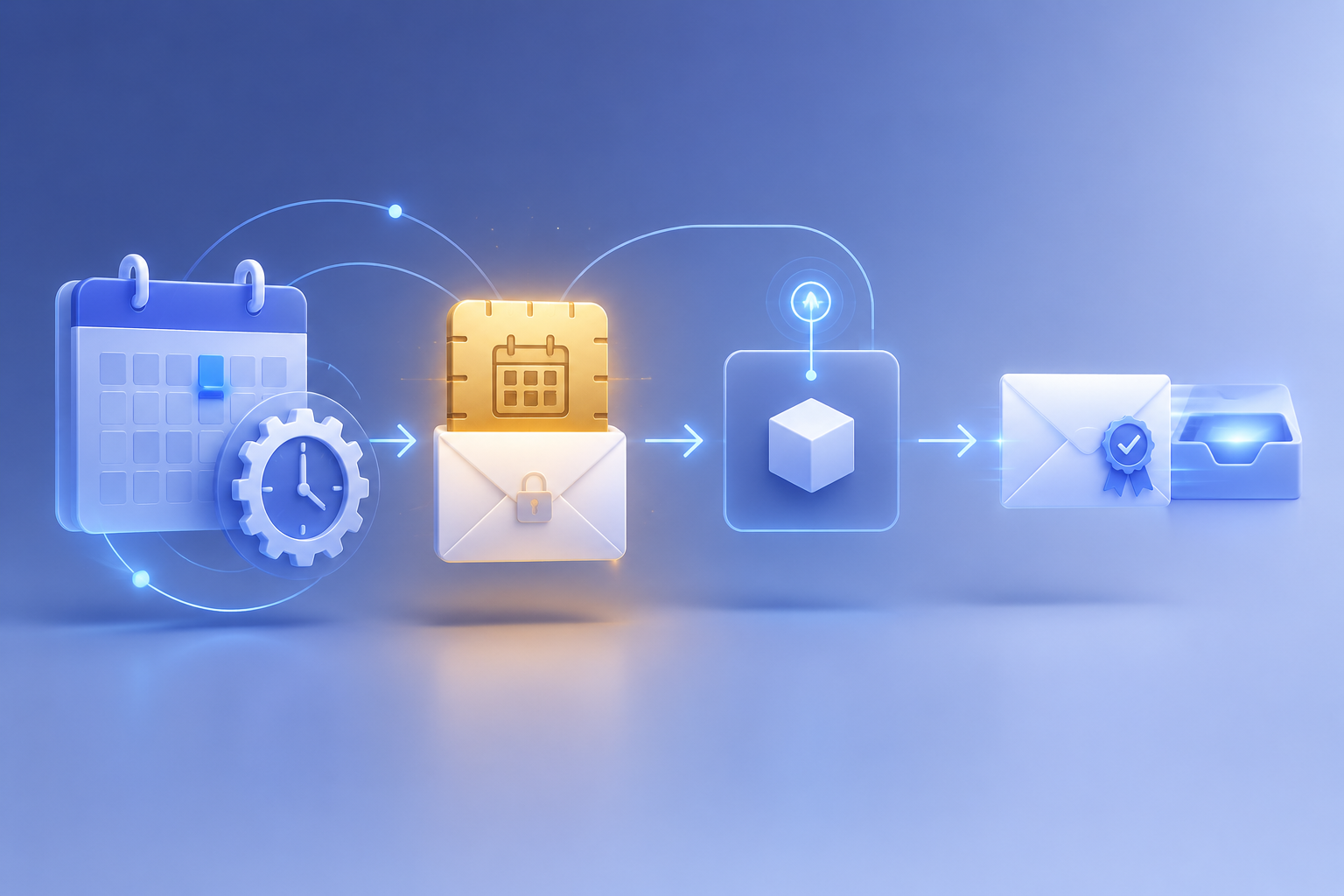
Temporal Schedules own the clock — Rovela delivers the mail
Temporal Schedules start Workflow Executions on a recurring Schedule Spec: intervals (every + optional phase), calendar expressions, and/or cron strings — then subtract exclusions. Unlike a Temporal Cron Job (a cronSchedule option on a Workflow start), a Schedule is a first-class identity you can pause, update, backfill, and trigger without rewriting the Workflow. Temporal’s own docs recommend Schedules over legacy Cron Jobs for new work (Schedules, TypeScript Schedules).
That shape fits digests, ops reports, trial-expiry sweeps, and other transactional messages whose body depends on live app or database state at fire time — signup counts, unpaid invoices, failed runs — rather than content you can freeze hours earlier with Rovela scheduled_at.
Rovela queues, DKIM-signs, and delivers when a Temporal Activity (never the Workflow itself) calls POST https://api.rovela.dev/emails (Send Email API, Quick Start, Authentication). Temporal owns the Schedule Spec, overlap policy, catchup window, Workflow durability, and Activity retries. Your Activity owns aggregation, secrets for sending_access, and a stable Idempotency-Key per schedule window. Rovela only delivers.
This guide wires Temporal Schedule → Workflow → Activity → Rovela that:
- Creates a Schedule with
client.schedule.create({ scheduleId, spec, action, policies })whose Action starts a digest Workflow - Keeps
ROVELA_API_KEY(sending_access),MAIL_FROM, Temporal connection, and recipients in server-only Worker env — never in the browser, Workflow args that you log broadly, or a public Git tree - Aggregates a digest / report for the current schedule window inside an Activity
- Sends via Rovela with a window-scoped
Idempotency-Key - Survives Activity retries, Worker restarts, and duplicate Schedule ticks without duplicate mail
Rovela does not create Temporal Schedules, Namespaces, or Task Queues. Temporal owns schedule → Workflow → Activity. Your Activity owns query → map fields → POST /emails. Rovela owns delivery.
Distinct from:
- BullMQ Repeatable / Cron Jobs Email — Redis BullMQ
upsertJobScheduler(not Temporal) - Trigger.dev Cron / Scheduled Tasks Email — Trigger.dev
schedules.task - Inngest Cron Transactional Email — Inngest
crontrigger +step.run - Upstash QStash Schedules Email — QStash HTTPS schedule +
Upstash-Signature - Supabase pg_cron Email — Postgres
pg_cron+pg_net - Kubernetes CronJob Email —
batch/v1CronJob → Job Pod - DigitalOcean App Platform Jobs Email — App Platform
kind: SCHEDULED - Heroku Scheduler Email — coarse Scheduler dynos
- Cloudflare Workers Cron Triggers Email — Workers
triggers.crons - Azure Functions Timer Email — Azure NCRONTAB
- GCP Cloud Scheduler Email — Cloud Scheduler → Cloud Functions / Pub/Sub
- AWS EventBridge Scheduler Email — EventBridge Scheduler → Lambda
- Netlify Scheduled Functions Email — Netlify UTC cron
- Fly Scheduled Machines Email — Fly Machine schedules
- Render Cron Transactional Email — Render Cron Job process
- Railway Cron Transactional Email — Railway cron service
- Vercel Cron Digest Email — platform cron
GETto a production route - GitHub Actions Transactional Email — workflow / CI notify
- Scheduled Email Sending — Rovela
scheduled_atwhen the body is already known
Also distinct from Temporal Cron Jobs (cronSchedule on workflow.start) and one-shot startDelay — this post is the Schedule path only (TypeScript Schedules).
What Temporal schedules vs what Rovela sends
| Concern | Owner |
|---|---|
Schedule id, Spec (calendars / intervals / cronExpressions), timezone, startAt / endAt, skip, jitter | Temporal ScheduleSpec / Schedule |
| Overlap policy, catchup window, pause-on-failure, backfill, pause / trigger / update | Temporal Schedule policies + handle APIs |
| Starting the Workflow Action (type, task queue, args, timeouts) | Temporal Schedule Action |
| Workflow orchestration (determinism; no HTTP / secrets in Workflow code) | Your Workflow |
| Activity retries / timeouts for the send | Temporal Activity options |
Server secrets for ROVELA_API_KEY (sending_access) | Your Worker process env / secret store |
| Query DB / APIs for the window | Your Activity |
| Render HTML + text | Your Activity |
POST /emails, DKIM, queue, bounces | Rovela |
Idempotency-Key = temporal-schedule-daily-digest:{yyyy-mm-dd} (or hour / tenant bucket) | Your Activity |
A 200 from Rovela means accepted and queued, not “already in the inbox” (Quick Start).
Temporal Schedule constraints that shape the email Activity
From Temporal docs, treat these as hard requirements for a mail-sending Schedule:
- Prefer Schedules over Cron Jobs. Schedules are independent identities with pause, update, backfill, and richer Specs. Cron Jobs attach
cronScheduleto a Workflow start and are not recommended for new use cases (Schedule, TypeScript Schedules). - Spec is a union. Times are the union of
calendars,intervals, andcronExpressions, minusskipcalendars (ScheduleSpec). - Intervals need phase awareness. Interval Specs align to the Unix epoch unless you set a phase offset; use calendar Specs or a calculated offset when you need a human wall-clock fire time (Schedule Spec).
- Cron on Schedules is for migration. TypeScript
cronExpressionsexist for easy migration from legacy Cron Workflows; Temporal recommendscalendarsorintervalsfor new Specs (ScheduleSpec). Cron fields: 5 / 6 / 7 (optional seconds / year); shorthands@daily,@hourly,@every 45m, etc. - Default timezone is UTC. Set
timezone(IANA name) when calendar matching must follow a local clock — and remember DST gaps / folds behave as documented (ScheduleSpec). - Overlap policy matters for email. Default
Skipavoids stacking digests when a prior run is still open.AllowAllcan fan out concurrent Workflows — pair carefully with window-scoped idempotency keys (Overlap Policy). - Catchup window bounds late Actions. After outages, Automated Actions older than the catchup window may be skipped (default is long; tighten for time-sensitive digests) (Catchup Window).
- HTTP belongs in Activities. Workflows must stay deterministic — no
fetch, no readingprocess.envfor secrets, no non-deterministic clocks for business logic. Put RovelaPOST /emailsin an Activity with explicitstartToCloseTimeout/ retry policy. - Scheduled Workflow Ids get a timestamp suffix. Temporal appends the Action timestamp to the Workflow Id and sets
TemporalScheduledStartTime/TemporalScheduledByIdsearch attributes (Action). - Keep
sending_accessserver-only. StoreROVELA_API_KEYin the Worker environment — never in Workflow memo, client-side code, or Git (Authentication). - Prefer HTTPS
POST /emails. Outbound SMTP from a Worker is a poor fit (Email API vs SMTP).
When to use Temporal Schedules + POST /emails (not scheduled_at)
Use Temporal Schedule → live send when:
- The HTML must include fresh metrics at fire time
- You already run Temporal for durable workflows and want schedules next to the same Workers
- You need pause / backfill / overlap control that platform crons rarely expose cleanly
- One (or a few) transactional messages go to ops / founder / customer addresses looked up at run time
Use Rovela scheduled_at when the body is already correct and you only need “deliver later” without a running Worker (Scheduled Email Sending). Temporal Schedules and scheduled_at solve different problems; this post is the Temporal path.
Use BullMQ / Trigger.dev / Inngest / QStash when you want those runtimes instead of Temporal — see the distinct posts linked above. Use a platform cron when the schedule should live next to that host’s compute.
Prerequisites
- A verified sending domain in Rovela. Unverified
fromdomains are refused with400(Quick Start). - An API key shaped like
re_…. Prefersending_accessfor the Activity Worker (Authentication). - A Temporal Service (self-hosted or Temporal Cloud) plus TypeScript SDK (
@temporalio/client,@temporalio/worker,@temporalio/workflow,@temporalio/activity). - Worker process env:
ROVELA_API_KEY,MAIL_FROM,DIGEST_TO, Temporal address / namespace / API key as your ops requires, and any DB URLs the Activity needs. - At least one long-running Worker polling the Schedule’s task queue — Schedules alone do not send mail.
Create a Schedule, Workflow, and Activity (TypeScript)
Daily digest at 09:00 UTC with a calendar Spec (preferred over cron for new Specs):
// src/workflows/dailyDigest.ts
import { proxyActivities } from "@temporalio/workflow";
import type * as activities from "../activities/rovelaDigest";

const { sendDailyDigestEmail } = proxyActivities<typeof activities>({
  startToCloseTimeout: "2 minutes",
  retry: {
    initialInterval: "5s",
    backoffCoefficient: 2,
    maximumAttempts: 5,
  },
});

/** Deterministic Workflow: orchestrate only — HTTP lives in the Activity. */
export async function dailyDigestWorkflow(): Promise<{ emailId: string }> {
  return await sendDailyDigestEmail();
}
// src/activities/rovelaDigest.ts
const ROVELA_URL = "https://api.rovela.dev/emails";

function requireEnv(name: string) {
  const v = process.env[name];
  if (!v) throw new Error(`missing env ${name}`);
  return v;
}

function utcDayKey(d = new Date()) {
  return d.toISOString().slice(0, 10); // YYYY-MM-DD
}

export async function sendDailyDigestEmail(): Promise<{ emailId: string }> {
  const apiKey = requireEnv("ROVELA_API_KEY"); // sending_access
  const from = requireEnv("MAIL_FROM"); // e.g. Acme <hello@mail.acme.com>
  const to = requireEnv("DIGEST_TO");

  // Live aggregation for this schedule window — replace with your DB / metrics query
  const day = utcDayKey();
  const signups = await countSignupsSince(day);
  const unpaid = await countUnpaidInvoices();
  const subject = `Daily digest ${day}: ${signups} signups, ${unpaid} unpaid`;
  const text = `Signups today: ${signups}\nUnpaid invoices: ${unpaid}\n`;
  const html = `<h1>Daily digest ${day}</h1><p>Signups: <b>${signups}</b></p><p>Unpaid: <b>${unpaid}</b></p>`;

  const idempotencyKey = `temporal-schedule-daily-digest:${day}`;

  const res = await fetch(ROVELA_URL, {
    method: "POST",
    headers: {
      Authorization: `Bearer ${apiKey}`,
      "Content-Type": "application/json",
      "Idempotency-Key": idempotencyKey,
    },
    body: JSON.stringify({ from, to, subject, html, text, tags: { kind: "daily-digest", day } }),
    signal: AbortSignal.timeout(15_000),
  });

  if (!res.ok) {
    const err = await res.json().catch(() => ({}));
    // Throw so Temporal retries the Activity (not the Schedule tick itself)
    throw new Error(`Rovela ${res.status}: ${(err as any).message ?? "send failed"}`);
  }

  const body = (await res.json()) as { id: string };
  return { emailId: body.id };
}

// stubs — wire to your store
async function countSignupsSince(_day: string) {
  return 0;
}
async function countUnpaidInvoices() {
  return 0;
}
// src/schedules/createDailyDigest.ts
import { Connection, Client, ScheduleOverlapPolicy } from "@temporalio/client";
import { dailyDigestWorkflow } from "../workflows/dailyDigest";

export async function createDailyDigestSchedule() {
  const connection = await Connection.connect({
    // address / tls / apiKey — match Temporal Cloud or self-hosted ops
  });
  const client = new Client({ connection, namespace: process.env.TEMPORAL_NAMESPACE ?? "default" });

  const schedule = await client.schedule.create({
    scheduleId: "daily-digest-email",
    action: {
      type: "startWorkflow",
      workflowType: dailyDigestWorkflow,
      taskQueue: "transactional-email",
      // args optional — keep secrets out of Workflow args
    },
    policies: {
      // Skip a tick if the prior digest Workflow is still running
      overlap: ScheduleOverlapPolicy.SKIP,
      catchupWindow: "1 day",
    },
    spec: {
      // Prefer calendars for new Specs; cronExpressions are fine for migration
      calendars: [
        {
          comment: "every day at 09:00 UTC",
          hour: 9,
          minute: 0,
        },
      ],
      timezone: "UTC",
      // intervals example (epoch-aligned unless phased):
      // intervals: [{ every: "24h" }],
      // cronExpressions example:
      // cronExpressions: ["0 9 * * *"],
    },
  });

  return schedule.scheduleId;
}
Register dailyDigestWorkflow and sendDailyDigestEmail on a Worker that polls transactional-email, then create the Schedule once from a secure ops script or migration.
Interval and cron Spec variants
// Every 6 hours (interval) — remember epoch alignment / phase if wall-clock matters
spec: {
  intervals: [{ every: "6h" }],
}

// Cron string on a Schedule (migration-friendly; calendars preferred for new Specs)
spec: {
  cronExpressions: ["0 9 * * MON-FRI"],
  timezone: "America/New_York",
}
CLI equivalent for operators (temporal schedule create):
temporal schedule create \
  --schedule-id daily-digest-email \
  --calendar '{"hour":"9","minute":"0"}' \
  --timezone UTC \
  --overlap-policy Skip \
  --catchup-window 1d \
  --workflow-id daily-digest \
  --task-queue transactional-email \
  --type dailyDigestWorkflow
Idempotency: Schedule ticks, Activity retries, one email
Temporal may retry an Activity after a Worker crash, network blip, or thrown error. A Schedule with AllowAll (or a manual trigger / backfill) can also start more than one Workflow for nearby windows. Rovela’s Idempotency-Key (up to 256 characters, remembered ~24 hours) returns the original accept response instead of sending again (Send Email API).
Rules of thumb:
- Scope the key to the schedule window —
temporal-schedule-daily-digest:2026-11-05, or include hour / tenant:temporal-schedule-daily-digest:acme:2026-11-05. - Do not use a random UUID per Activity attempt — that defeats idempotency under retries.
- Keep Activity retries for transport / 5xx / thrown errors — Temporal recovers the job; Rovela collapses duplicate accepts for the same key.
- Prefer
Skipoverlap for a single daily digest so a slow run does not stack concurrent sends for the same calendar day. - Treat
scheduled_atas a different tool — freeze-and-deliver later when the body is already known; do not mix it into this live Aggregate → send path unless you intentionally want Rovela to hold a finished body.
Security checklist
- Use a
sending_accesskey in the Worker. It can queue mail; it cannot read, reschedule, or cancel messages (Authentication, Send Email API). - Never put
ROVELA_API_KEYin Workflow code, Schedule memos, client bundles, or public repos. - Verify the
fromdomain before production sends (400on unverified domains). - Cap recipients (≤ 50 across
to/cc/bccper message). - Log Rovela message
idand Temporal Workflow / Schedule ids for support — not the API key.
Operations: pause, trigger, backfill
const handle = client.schedule.getHandle("daily-digest-email");

await handle.pause("deploy freeze");
await handle.unpause("resume after deploy");

// Immediate Action — still subject to overlap policy by default
await handle.trigger();

// Replay Actions that would have fired in a past window (e.g. after a pause)
await handle.backfill({
  start: new Date("2026-11-01T00:00:00Z"),
  end: new Date("2026-11-02T00:00:00Z"),
  overlap: ScheduleOverlapPolicy.BUFFER_ONE,
});
Backfills and triggers can produce multiple Workflow starts for nearby windows — keep the window-scoped Idempotency-Key so Rovela still collapses duplicate digests for the same day (Backfill, TypeScript Schedules).
FAQ
Schedules vs Temporal Cron Jobs? Use Schedules for new recurring work: pause, update, backfill, overlap, and Specs that combine calendars / intervals / cron. Cron Jobs are a cronSchedule on Workflow start and are not recommended for new use cases (TypeScript Schedules).
Calendars vs cronExpressions vs intervals? Calendars and intervals are preferred for new Specs. cronExpressions help migrate from legacy Cron Workflows. Spec times are the union of all three, minus skip (ScheduleSpec).
Why not call Rovela from the Workflow? Workflows must be deterministic. Network I/O, secrets, and wall-clock aggregation belong in Activities with timeouts and retries.
What key scope does sending_access cover? Enough to queue mail via POST /emails / batch. Reading messages, rescheduling, and cancel need full_access or a dashboard session. Keep the Worker on sending_access.
Does a 200 mean the founder already got the digest? No — it means Rovela accepted and queued the message. Use GET /emails/:id, events, or webhooks for delivery state (Quick Start).
Why both Temporal Activity retries and Rovela Idempotency-Key? Temporal retries the Activity when your code fails. Rovela’s key collapses duplicate sends if the HTTP call succeeds twice in the same window (or times out after Rovela accepted). You want both layers.
How is this different from BullMQ / Inngest / Trigger.dev / QStash? Those posts use Redis job schedulers or SaaS schedule runtimes. This post uses Temporal Schedule Specs (calendar / interval / cron) starting durable Workflows whose Activities call Rovela.
Ship the Schedule; let Rovela deliver
Create a Temporal Schedule with a calendar (or interval / cron) Spec, put live aggregation and POST /emails in an Activity, scope Idempotency-Key to the schedule window (and tenant), and keep sending_access server-only. Temporal wakes the Workflow on time; Rovela delivers the transactional mail.