AWS EventBridge Scheduler Transactional Email with Rovela (2026): Lambda cron + Idempotency-Key per Window
Run Amazon EventBridge Scheduler (cron/rate/at) to invoke Lambda, load ROVELA_API_KEY from env or Secrets Manager, and POST /emails with Idempotency-Key scoped to the schedule window. Distinct from Netlify Scheduled Functions, Fly Scheduled Machines, Render/Railway/Vercel cron, and GitHub Actions.
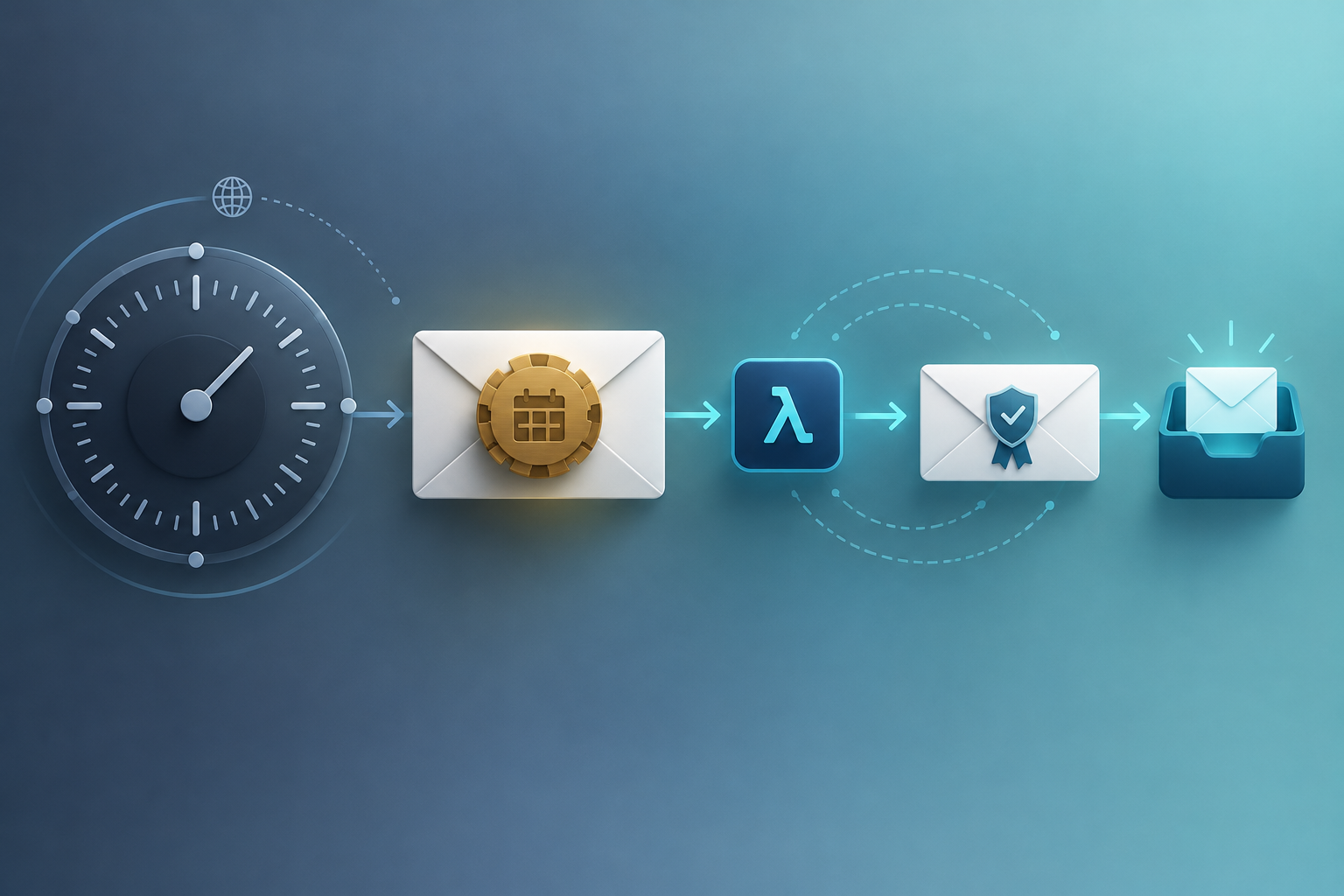
EventBridge Scheduler owns the cron — Rovela delivers the mail
Amazon EventBridge Scheduler invokes a target on a cron, rate, or one-time at(...) expression — including an AWS Lambda function. That shape fits digests, ops reports, and other transactional mail whose body depends on live state at fire time — counts, failed jobs, unpaid invoices — rather than content you can freeze hours earlier with Rovela scheduled_at.
Rovela queues, DKIM-signs, and delivers when your Lambda calls POST https://api.rovela.dev/emails (Send Email API, Quick Start, Authentication). AWS owns the schedule, retries, and secret injection (Lambda environment variables or Secrets Manager). Your function owns aggregation and a stable Idempotency-Key per schedule window. Rovela only delivers.
This guide wires EventBridge Scheduler → Lambda → Rovela that:
- Reads
ROVELA_API_KEY,MAIL_FROM, and recipients from Lambda env and/or Secrets Manager (never hardcoded) - Aggregates a digest / report for the current schedule window
- Sends via Rovela with
Idempotency-Keykeyed to that window - Survives Scheduler retries and Lambda async retries without duplicate mail
Rovela does not create EventBridge schedules, IAM roles, or Lambda functions. Scheduler owns cron → invoke. Your handler owns query → map fields → POST /emails. Rovela owns delivery.
Distinct from:
- Netlify Scheduled Functions Email — Netlify UTC cron + 30s function limit, not AWS Scheduler
- Fly Scheduled Machines Email — coarse
hourly/daily/weekly/monthlyMachine intervals, not six-field AWS cron - Render Cron Transactional Email — Cron Job process that must exit
- Railway Cron Transactional Email — Railway cron service; overlapping fires are skipped
- Vercel Cron Digest Email — HTTP
GETto a production route +CRON_SECRET - GitHub Actions Transactional Email — workflow /
run_idnotify on CI events - Scheduled Email Sending — Rovela
scheduled_atwhen the body is already known
Also distinct from older EventBridge Rules with a schedule expression (the classic “CloudWatch Events / EventBridge scheduled rule” path). Those rules still work for many accounts, but they evaluate schedule expressions in UTC only and lack Scheduler’s IANA time zones, flexible windows, and per-schedule retry / DLQ controls. Prefer EventBridge Scheduler for new email jobs; the Lambda → Rovela contract below is the same either way.
What Scheduler does vs what Rovela sends
| Concern | Owner |
|---|---|
cron(...) / rate(...) / at(...) expression | EventBridge Scheduler (schedule types) |
IANA time zone (ScheduleExpressionTimezone) | EventBridge Scheduler |
| Flexible time window / retry policy / DLQ | EventBridge Scheduler |
IAM role that can lambda:InvokeFunction | Your schedule execution role |
Env vars or Secrets Manager for ROVELA_API_KEY | Lambda + AWS secrets |
| Query DB / APIs for the window | Your Lambda |
| Render HTML + text | Your Lambda |
POST /emails, DKIM, queue, bounces | Rovela |
Idempotency-Key = aws-{kind}-{yyyy-mm-dd} (or hour / week) | Your handler |
A 200 from Rovela means accepted and queued, not “already in the inbox” (Quick Start).
AWS constraints that shape the email job
From AWS docs, treat these as hard requirements for a mail-sending schedule:
- Three expression kinds. Recurring:
rate(value unit)with unitsminutes|hours|days, or six-fieldcron(minutes hours day-of-month month day-of-week year). One-shot:at(yyyy-mm-ddThh:mm:ss)(schedule types, CreateSchedule). - Day-of-month vs day-of-week. You cannot use
*in both day fields; put?in the one you are not constraining. - ~60-second precision. Scheduler invokes within the target minute when the flexible window is
OFF(schedule types). - IANA time zones on Scheduler. Set
ScheduleExpressionTimezone(for exampleEurope/London,America/New_York) so “09:00” stays local through daylight saving. Spring-forward skips a non-existent local time; fall-back invokes the repeated hour once (DST notes). - Flexible time window.
FLEXIBLE+MaximumWindowInMinutesspreads invocations after the nominal time — useful for fleets, bad for “exactly 09:00 digest.” UseOFFwhen the window must be tight (flexible windows). - Async invoke + retries. Scheduler invokes Lambda asynchronously. Scheduler can retry failed target invocations (retry policy + optional DLQ, max age up to 24h, up to 185 retries). Lambda’s own async error path retries twice by default (Lambda retries, Scheduler getting started). Design for at-least-once delivery into your handler — that is why the Rovela
Idempotency-Keyis mandatory. - Outbound SMTP is a poor fit. Lambda (and many serverless hosts) block or frustrate port 25; prefer HTTPS
POST /emailson 443 (Email API vs SMTP). - Secrets stay server-side. Put a Rovela
sending_accesskey in a Lambda environment variable (console / SAM / Terraform) or in Secrets Manager; never ship it in a browser bundle (Authentication, Secrets Manager + Lambda).
When to use Scheduler + POST /emails (not scheduled_at)
Use EventBridge Scheduler → Lambda → live send when:
- The HTML must include fresh metrics at fire time
- You already run compute on AWS and want IAM, CloudWatch Logs, and the schedule in the same account
- You need a real crontab (weekday mornings in
Europe/London, last Friday of the month, every 15 minutes) rather than coarse host buckets - One (or a few) transactional messages go to ops / founder / customer addresses looked up at run time
Use Rovela scheduled_at when the body is already correct and you only need “deliver later” without a running job (Scheduled Email Sending). Scheduler and scheduled_at solve different problems; this post is the AWS path.
Prerequisites
- A verified sending domain in Rovela. Unverified
fromdomains are refused with400(Quick Start). - An API key shaped like
re_…. Prefersending_accessfor Lambda (Authentication). - A Lambda function (Node.js, Python, or container image) with outbound HTTPS and enough timeout for your queries + one Rovela round-trip.
- Secrets: Lambda env vars and/or a Secrets Manager secret for
ROVELA_API_KEY, plusMAIL_FROM,DIGEST_TO(or look recipients up in code). - An IAM role Scheduler can assume with
lambda:InvokeFunctionon that function (Lambda + Scheduler). - A schedule expression — for example
cron(0 9 ? * MON-FRI *)with timezoneEurope/London, orrate(1 hour).
Secrets on Lambda
Simplest path — encrypt-at-rest Lambda environment variables (set in the console, AWS CLI, SAM, or Terraform). Do not commit values to Git:
aws lambda update-function-configuration \
  --function-name daily-digest-email \
  --environment "Variables={ROVELA_API_KEY=re_your_sending_access_key,MAIL_FROM=Acme Reports <reports@mail.example.com>,DIGEST_TO=founders@example.com,DIGEST_KIND=daily}"
For rotation without redeploying code, store the Rovela key in Secrets Manager and either:
- Resolve it at cold start with
GetSecretValue(grantsecretsmanager:GetSecretValueon the function role), or - Use the AWS Parameters and Secrets Lambda extension and fetch via the local HTTP endpoint
Keep sending_access on production senders — never full_access (Authentication). Never console.log the API key. Rotate by create → update secret / env → next successful invoke → revoke the old key.
Create the schedule
Console (fast path)
- Open the Lambda function → Add trigger → Scheduler (docs).
- Choose a recurring schedule, cron or rate, timezone, and optionally a JSON payload.
- Let Scheduler create the execution role, or attach one you already use.
AWS CLI (cron in local time)
aws scheduler create-schedule \
  --name daily-digest-london \
  --schedule-expression "cron(0 9 ? * MON-FRI *)" \
  --schedule-expression-timezone "Europe/London" \
  --flexible-time-window '{"Mode":"OFF"}' \
  --target '{
    "Arn": "arn:aws:lambda:eu-west-2:111122223333:function:daily-digest-email",
    "RoleArn": "arn:aws:iam::111122223333:role/scheduler-invoke-digest",
    "Input": "{\"kind\":\"daily\",\"market\":\"uk\"}"
  }'
Notes grounded in AWS docs:
- Six-field cron: minutes, hours, day-of-month, month, day-of-week, year — here
?in day-of-month because day-of-week isMON-FRI(cron syntax). --flexible-time-window '{"Mode":"OFF"}'keeps invocations near 09:00 local rather than smearing them across a window.- Configure a retry policy and optional DLQ in the Scheduler console or API if you want Scheduler-level retries separate from Lambda’s async retries (getting started).
- Confirm fires in CloudWatch Logs for the function.
Rate example (every hour, UTC evaluation unless you only care about interval):
aws scheduler create-schedule \
  --name hourly-ops-snapshot \
  --schedule-expression "rate(1 hour)" \
  --flexible-time-window '{"Mode":"OFF"}' \
  --target '{
    "Arn": "arn:aws:lambda:eu-west-2:111122223333:function:daily-digest-email",
    "RoleArn": "arn:aws:iam::111122223333:role/scheduler-invoke-digest",
    "Input": "{\"kind\":\"hourly\"}"
  }'
Minimal Node.js Lambda handler
// index.mjs — Node.js 20+
const ROVELA_URL = 'https://api.rovela.dev/emails'

function requireEnv(name) {
  const v = process.env[name]
  if (!v) throw new Error(`missing env ${name}`)
  return v
}

function utcDayKey(d = new Date()) {
  return d.toISOString().slice(0, 10) // YYYY-MM-DD
}

function utcHourKey(d = new Date()) {
  return d.toISOString().slice(0, 13) // YYYY-MM-DDTHH
}

async function buildDailyDigest(day) {
  // Replace with your queries against RDS / DynamoDB / APIs / CloudWatch Metrics
  const stats = {
    signups: 12,
    paid: 3,
    incidents: 1,
    failedJobs: 0,
  }
  const subject = `Acme daily digest — ${day}`
  const text = [
    `Signups: ${stats.signups}`,
    `Paid: ${stats.paid}`,
    `Open incidents: ${stats.incidents}`,
    `Failed jobs: ${stats.failedJobs}`,
  ].join('\n')
  const html = `
    <h1>Daily digest — ${day}</h1>
    <ul>
      <li>Signups: <b>${stats.signups}</b></li>
      <li>Paid: <b>${stats.paid}</b></li>
      <li>Open incidents: <b>${stats.incidents}</b></li>
      <li>Failed jobs: <b>${stats.failedJobs}</b></li>
    </ul>
    <p><a href="https://app.example.com/admin">Open admin</a></p>
  `
  return { subject, html, text, stats }
}

async function sendTransactional({ to, subject, html, text, idempotencyKey, tags }) {
  const res = await fetch(ROVELA_URL, {
    method: 'POST',
    headers: {
      Authorization: `Bearer ${requireEnv('ROVELA_API_KEY')}`,
      'Content-Type': 'application/json',
      'Idempotency-Key': idempotencyKey,
    },
    body: JSON.stringify({
      from: requireEnv('MAIL_FROM'),
      to,
      subject,
      html,
      text,
      tags,
    }),
  })
  const body = await res.json().catch(() => ({}))
  if (!res.ok) {
    throw new Error(`Rovela ${res.status}: ${body.message ?? 'send failed'}`)
  }
  return body // { object: 'email', id }
}

export async function handler(event) {
  const kind = event?.kind || process.env.DIGEST_KIND || 'daily'
  const day = utcDayKey()
  const digest = await buildDailyDigest(day)
  const to = requireEnv('DIGEST_TO').split(',').map((s) => s.trim())

  // Window key — NOT Date.now() / request id — so Scheduler + Lambda retries stay one logical mail
  const idempotencyKey =
    kind === 'hourly'
      ? `aws-hourly-ops:${utcHourKey()}`
      : `aws-daily-digest:${day}`

  const result = await sendTransactional({
    to,
    subject: digest.subject,
    html: digest.html,
    text: digest.text,
    idempotencyKey,
    tags: { kind: `aws-${kind}-digest`, day, platform: 'aws-eventbridge-scheduler' },
  })

  console.log(JSON.stringify({ ok: true, day, emailId: result.id, stats: digest.stats }))
  return { ok: true, emailId: result.id }
}
Rovela’s Idempotency-Key (up to 256 characters) makes a retry of the same send within 24 hours return the original response instead of mailing again (Send Email API). That matters on AWS because:
- Scheduler may retry a failed invoke per its retry policy
- Lambda async invocation retries failed invocations up to twice by default
- A flexible window or a manual “Invoke” in the console may re-enter the same calendar window
- Key the calendar window (and recipient, when fan-out), not the Lambda request id
Recommended keys:
| Key | Use when |
|---|---|
aws-daily-digest:{yyyy-mm-dd} | One ops digest per UTC day (cron(0 9 …) daily) |
aws-hourly-ops:{yyyy-mm-dd}T{HH} | Hourly snapshot (rate(1 hour) or hourly cron) |
aws-weekly-report:{yyyy}-W{ww} | One founder report per ISO week |
aws-customer-digest:{userId}:{yyyy-mm-dd} | Per-user digests (one key per recipient window) |
If you mail many personalized digests, loop with a fresh key per recipient (or POST /emails/batch for up to 100 non-template messages — batch rejects template / topic_id by design (Send Email API)). Cap concurrency; on 429, back off and retry with the same key.
Python alternative
# handler.py
import json
import os
import urllib.request
from datetime import datetime, timezone

ROVELA_URL = "https://api.rovela.dev/emails"


def require_env(name: str) -> str:
    v = os.environ.get(name)
    if not v:
        raise RuntimeError(f"missing env {name}")
    return v


def utc_day_key() -> str:
    return datetime.now(timezone.utc).strftime("%Y-%m-%d")


def build_daily_digest(day: str) -> dict:
    stats = {"signups": 12, "paid": 3, "incidents": 1, "failedJobs": 0}
    subject = f"Acme daily digest — {day}"
    text = "\n".join(
        [
            f"Signups: {stats['signups']}",
            f"Paid: {stats['paid']}",
            f"Open incidents: {stats['incidents']}",
            f"Failed jobs: {stats['failedJobs']}",
        ]
    )
    html = f"""
    <h1>Daily digest — {day}</h1>
    <ul>
      <li>Signups: <b>{stats['signups']}</b></li>
      <li>Paid: <b>{stats['paid']}</b></li>
      <li>Open incidents: <b>{stats['incidents']}</b></li>
      <li>Failed jobs: <b>{stats['failedJobs']}</b></li>
    </ul>
    """
    return {"subject": subject, "html": html, "text": text, "stats": stats}


def send_transactional(*, to, subject, html, text, idempotency_key, tags):
    payload = {
        "from": require_env("MAIL_FROM"),
        "to": to,
        "subject": subject,
        "html": html,
        "text": text,
        "tags": tags,
    }
    req = urllib.request.Request(
        ROVELA_URL,
        data=json.dumps(payload).encode(),
        headers={
            "Authorization": f"Bearer {require_env('ROVELA_API_KEY')}",
            "Content-Type": "application/json",
            "Idempotency-Key": idempotency_key,
        },
        method="POST",
    )
    with urllib.request.urlopen(req, timeout=30) as resp:
        return json.loads(resp.read().decode())


def handler(event, context):
    day = utc_day_key()
    digest = build_daily_digest(day)
    to = [s.strip() for s in require_env("DIGEST_TO").split(",") if s.strip()]
    result = send_transactional(
        to=to,
        subject=digest["subject"],
        html=digest["html"],
        text=digest["text"],
        idempotency_key=f"aws-daily-digest:{day}",
        tags={"kind": "aws-daily-digest", "day": day, "platform": "aws-eventbridge-scheduler"},
    )
    print(json.dumps({"ok": True, "day": day, "emailId": result.get("id"), "stats": digest["stats"]}))
    return {"ok": True, "emailId": result.get("id")}
Scheduler vs classic EventBridge / CloudWatch scheduled rules
| EventBridge Scheduler | Classic scheduled rule | |
|---|---|---|
| Service | Dedicated Scheduler API | EventBridge Rules (legacy CloudWatch Events schedule) |
| Expressions | cron / rate / at | cron / rate |
| Time zones | IANA via ScheduleExpressionTimezone | UTC evaluation |
| Flexible window | Yes | No |
| Per-schedule retry / DLQ | Yes | Limited / different model |
One-time at(...) | Yes | Use one-shot patterns elsewhere |
For new transactional digests on AWS, start with Scheduler. If you already have a Rule cron(0 13 * * ? *) targeting Lambda, keep it — still call Rovela with a window-scoped Idempotency-Key.
Failure handling
| Symptom | What to check |
|---|---|
Rovela 400 naming a domain | MAIL_FROM domain not verified in Rovela |
Rovela 401 | Missing / wrong ROVELA_API_KEY in env or Secrets Manager |
Rovela 429 | Back off; retry with the same Idempotency-Key |
| Duplicate mail after retry | Key must be stable per window (aws-daily-digest:{day}), not uuid() per invoke |
| Schedule fires late across many accounts | Flexible window may be ON — set Mode: OFF for tight digests |
| Spring DST “missing” 09:00 | Expected skip for non-existent local times — pick a safe hour or accept the skip |
| Lambda timeout before Rovela returns | Raise timeout; shrink queries; do not start a second send with a new key |
| Need delivery status in code | Prefer Rovela webhooks; GET /emails/:id/events needs full_access, while sending_access can only send |
Log Rovela’s message field as-is on non-2xx responses (Quick Start). Prefer webhooks over polling for production delivery state (Send Email API, Authentication).
Checklist
- Verified Rovela sending domain;
sending_accesskey in Lambda env or Secrets Manager, not in Git - EventBridge Scheduler expression + timezone chosen knowingly (
OFFflexible window for sharp digests) - IAM: Scheduler role can invoke Lambda; Lambda role can reach Secrets Manager if used
- Live aggregation at fire time; HTML + text both set when possible
Idempotency-Keyscoped to the schedule window (aws-…:{day}) — mandatory under at-least-once retries- CloudWatch Logs for function health; Rovela dashboard or webhooks for delivery
Related reading
- Netlify Scheduled Functions Email
- Fly Scheduled Machines Email
- Render Cron Transactional Email
- Railway Cron Transactional Email
- Vercel Cron Digest Email
- GitHub Actions Transactional Email
- Scheduled Email Sending
- Email API vs SMTP
- Send Email API
- Authentication
- Invoke Lambda on a schedule (EventBridge Scheduler)
- Schedule types in EventBridge Scheduler
- Secrets Manager with Lambda