Heroku Scheduler Transactional Email with Rovela (2026): One-Off Dynos + Config Vars + Idempotency-Key per Window
Wire Heroku Scheduler (every 10 minutes / hourly / daily one-off dynos) to Rovela POST /emails: config vars for sending_access, a one-shot command that exits, UTC daily slots, and a window-scoped Idempotency-Key so rare double-fires never duplicate digests.
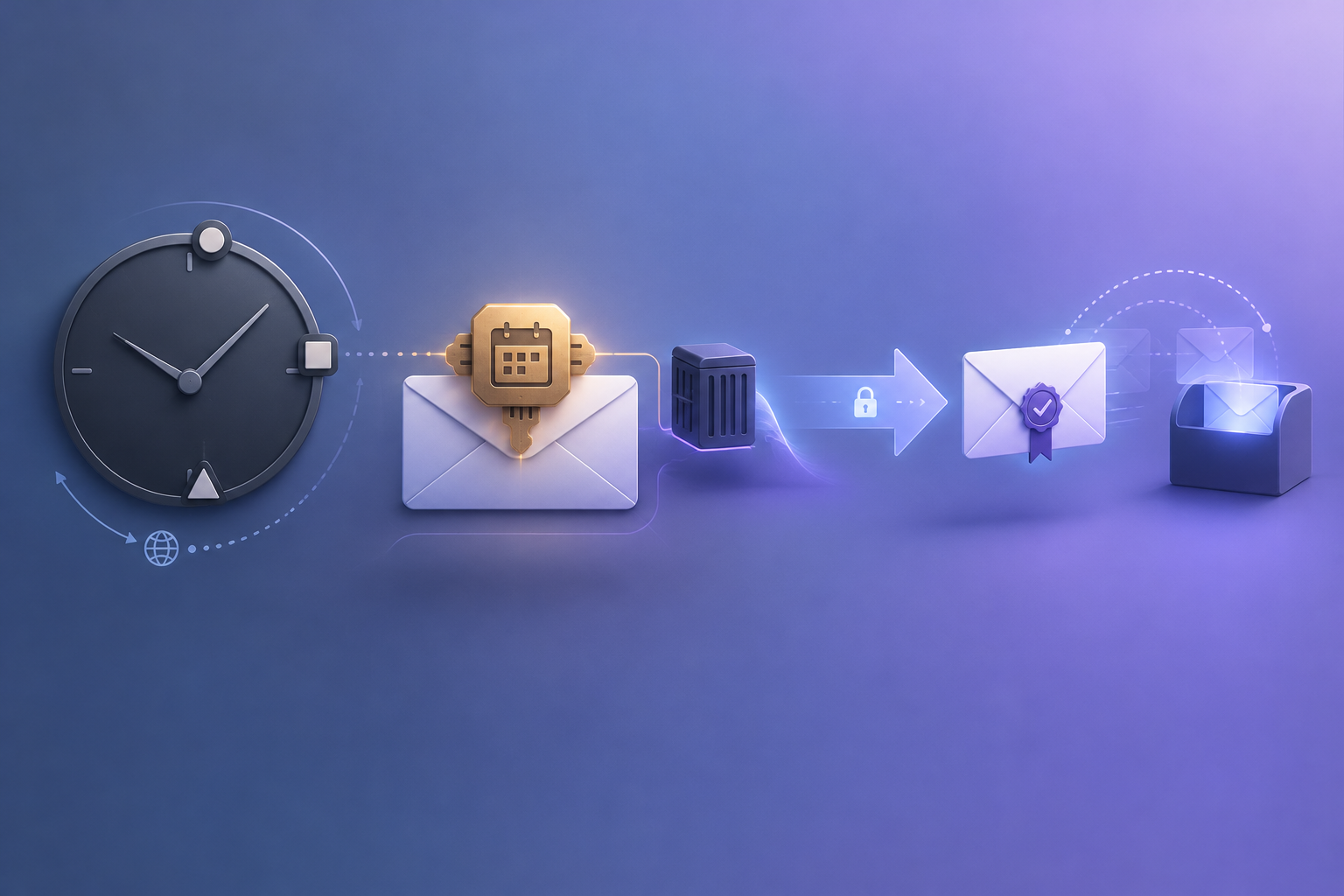
Heroku Scheduler owns the interval — Rovela delivers the mail
Heroku Scheduler is a free add-on that runs a command on your app every 10 minutes, every hour, or every day — much like cron, except each fire is a one-off dyno (scheduler.X in the logs). That shape fits digests, ops reports, and other transactional mail whose body depends on live state at fire time — counts, failed jobs, unpaid invoices — rather than content you can freeze hours earlier with Rovela scheduled_at.
Rovela queues, DKIM-signs, and delivers when your one-shot command calls POST https://api.rovela.dev/emails (Send Email API, Quick Start, Authentication). Heroku owns the coarse schedule, one-off dyno lifecycle, and config vars. Your script owns aggregation and a stable Idempotency-Key per schedule window. Rovela only delivers.
This guide wires Heroku Scheduler → Rovela that:
- Stores
ROVELA_API_KEY,MAIL_FROM, and recipients in config vars (never in Git or in the Scheduler job string) - Ships a one-shot
bin/script (or rake / process type) that exits when the send finishes - Aggregates a digest / report for the current schedule window
- Sends via Rovela with a window-scoped
Idempotency-Key - Survives rare double-fires, manual
heroku runsmoke tests, and overlapping interval jitter without duplicate mail
Rovela does not create Heroku apps, Scheduler jobs, or config vars. Heroku owns schedule → one-off dyno. Your command owns query → map fields → POST /emails. Rovela owns delivery.
Distinct from:
- Cloudflare Workers Cron Triggers Email — Workers
triggers.crons+scheduled()(UTC five-field cron) - Azure Functions Timer Email — Azure NCRONTAB (seconds-first) + App Settings / Key Vault
- GCP Cloud Scheduler Email — five-field unix-cron / groc + HTTP/OIDC or Pub/Sub
- AWS EventBridge Scheduler Email — six-field AWS cron /
rate/at+ Lambda - Netlify Scheduled Functions Email — Netlify UTC cron + short function limit
- Fly Scheduled Machines Email — coarse Machine intervals
- Render Cron Transactional Email — Render Cron Job process that must exit
- Railway Cron Transactional Email — Railway cron service
- Vercel Cron Digest Email — HTTP
GETto a production route +CRON_SECRET - GitHub Actions Transactional Email — workflow /
run_idnotify on CI events - Scheduled Email Sending — Rovela
scheduled_atwhen the body is already known
Also distinct from a custom clock process (clock + worker queue) on Heroku — Heroku itself recommends that pattern when scheduled jobs are critical, because Scheduler is free and expected but not guaranteed (Scheduler, Scheduled Jobs and Custom Clock Processes). This post is the lightweight Scheduler add-on → one-off command → Rovela path.
What Scheduler does vs what Rovela sends
| Concern | Owner |
|---|---|
| Every 10 min / hourly / daily schedule (daily next-run in UTC) | Heroku Scheduler (docs) |
One-off dyno (scheduler.X) that runs your command | Heroku dyno manager |
Config vars for ROVELA_API_KEY / MAIL_FROM / recipients | App config (config vars) |
| Query DB / APIs for the window | Your script |
| Render HTML + text | Your script |
POST /emails, DKIM, queue, bounces | Rovela |
Idempotency-Key = heroku-{kind}:{yyyy-mm-dd} (or hour / week) | Your script |
A 200 from Rovela means accepted and queued, not “already in the inbox” (Quick Start).
Heroku constraints that shape the email job
From Heroku Dev Center, treat these as hard requirements for a mail-sending Scheduler job:
- Coarse frequencies only. Scheduler’s dashboard offers every 10 minutes, hourly, or daily — not arbitrary five-field cron. For “three times a day” or sub–10-minute ticks, use a custom clock process instead.
- Daily next-run is UTC. If you want “09:00 America/New_York”, pick the matching UTC slot on the Scheduler dashboard (Scheduling jobs).
- One-off dynos, billed like
heroku run. Scheduler is a free add-on, but the dynos it starts count toward monthly dyno hours and show up as aschedulerdyno type on the invoice (Dyno hour costs). - Expected but not guaranteed. In rare cases a job may be skipped or may run twice. Heroku recommends a custom clock process when the schedule is critical (Known issues). Design for at-least-once and keep a window-scoped Rovela
Idempotency-Key. - Commands must finish and exit. Scheduler starts the same class of one-off dyno as
heroku run. Keep the job short (query + one HTTPS send), or enqueue longer work onto a worker and exit. A dyno started by Scheduler will not run longer than about its scheduling interval; for a 10-minute job, termination is roughly after 10 minutes, with some jitter that can briefly overlap two dynos (Long-running jobs). - Do not put secrets in the job string. On the Common Runtime, Heroku expands config-var values before logging the executed command for audit. Avoid
$ROVELA_API_KEY(or any secret) in the Scheduler “task” field — read secrets from the environment inside your script instead (Defining tasks). - Test with
heroku runfirst. Ifheroku run bin/send-daily-digestworks, Scheduler will run the same command on a one-off dyno (Testing tasks). - Process type or path. You can enter a raw command (
bin/send-daily-digest) or a process type from the Procfile plus args. - Container Registry note. If you deploy via Container Registry, the task must be reachable from the
webimage — Scheduler cannot target a non-web image (Known issues). - Secrets stay server-side. Prefer a Rovela
sending_accesskey in config vars — never ship it in a browser bundle or public Git (Authentication). - Outbound SMTP is a poor fit. Prefer HTTPS
POST /emailson 443 (Email API vs SMTP).
When to use Scheduler + POST /emails (not scheduled_at)
Use Scheduler → live send when:
- The HTML must include fresh metrics at fire time
- You already run the app on Heroku and want config vars + logs in the same place
- A 10-minute / hourly / daily cadence is enough (no custom cron expression)
- One (or a few) transactional messages go to ops / founder / customer addresses looked up at run time
Use Rovela scheduled_at when the body is already correct and you only need “deliver later” without a running job (Scheduled Email Sending). Scheduler and scheduled_at solve different problems; this post is the Heroku path.
Use a custom clock + worker when missing a tick would hurt (billing cutoffs, compliance digests). Keep the same Rovela send helper either way.
Prerequisites
- A verified sending domain in Rovela. Unverified
fromdomains are refused with400(Quick Start). - An API key shaped like
re_…. Prefersending_accessfor the Scheduler job (Authentication). - A Heroku app with outbound HTTPS (any official buildpack / language that can
fetchor use an HTTP client). - Config vars for
ROVELA_API_KEY,MAIL_FROM,DIGEST_TO(or look recipients up in code). - The Scheduler add-on provisioned on that app.
- A one-shot command that exits
0after a successful accept (or a deliberate no-op when there is nothing to mail).
Install Scheduler and set config vars
# Provision the free Scheduler add-on (standard plan)
heroku addons:create scheduler:standard -a your-app

# Non-secret config (safe to set in shell history carefully)
heroku config:set \
  MAIL_FROM='Acme Reports <reports@mail.example.com>' \
  DIGEST_TO='founders@example.com' \
  DIGEST_KIND=daily \
  -a your-app

# Secret: set interactively so the key never lands in shell history / CI logs
heroku config:set ROVELA_API_KEY= -a your-app
# then paste the re_… sending_access value when prompted by your password manager,
# or use the Dashboard → Settings → Config Vars UI
Prefer the Dashboard or a secrets-aware CI step for ROVELA_API_KEY. Keep sending_access on production senders — never full_access (Authentication). Never log the API key. Never put $ROVELA_API_KEY in the Scheduler job command string.
Open the dashboard when you are ready to attach a job:
heroku addons:open scheduler -a your-app
One-shot Node.js script (window-scoped Idempotency-Key)
Add an executable script under bin/ so Scheduler and heroku run share the same entrypoint:
#!/usr/bin/env node
// bin/send-daily-digest
'use strict';

const ROVELA_URL = 'https://api.rovela.dev/emails';

function requireEnv(name) {
  const v = process.env[name];
  if (!v) throw new Error(`missing env ${name}`);
  return v;
}

function utcDayKey(d = new Date()) {
  return d.toISOString().slice(0, 10); // YYYY-MM-DD
}

function utcHourKey(d = new Date()) {
  return d.toISOString().slice(0, 13); // YYYY-MM-DDTHH
}

function windowKey(kind) {
  if (kind === 'hourly') return `heroku-hourly-ops:${utcHourKey()}`;
  if (kind === 'tenmin') {
    const d = new Date();
    const bucket = Math.floor(d.getUTCMinutes() / 10) * 10;
    const hh = String(d.getUTCHours()).padStart(2, '0');
    const mm = String(bucket).padStart(2, '0');
    return `heroku-tenmin-ops:${utcDayKey()}T${hh}:${mm}`;
  }
  return `heroku-daily-digest:${utcDayKey()}`;
}

async function buildDailyDigest(day) {
  // Replace with your queries against Postgres / Redis / APIs
  const stats = { signups: 12, paid: 3, incidents: 1, failedJobs: 0 };
  const subject = `Acme daily digest — ${day}`;
  const text = [
    `Signups: ${stats.signups}`,
    `Paid: ${stats.paid}`,
    `Open incidents: ${stats.incidents}`,
    `Failed jobs: ${stats.failedJobs}`,
  ].join('\n');
  const html = `
    <h1>Daily digest — ${day}</h1>
    <ul>
      <li>Signups: <b>${stats.signups}</b></li>
      <li>Paid: <b>${stats.paid}</b></li>
      <li>Open incidents: <b>${stats.incidents}</b></li>
      <li>Failed jobs: <b>${stats.failedJobs}</b></li>
    </ul>
    <p><a href="https://app.example.com/admin">Open admin</a></p>
  `;
  return { subject, html, text, stats };
}

async function sendTransactional({ to, subject, html, text, idempotencyKey, tags }) {
  const res = await fetch(ROVELA_URL, {
    method: 'POST',
    headers: {
      Authorization: `Bearer ${requireEnv('ROVELA_API_KEY')}`,
      'Content-Type': 'application/json',
      'Idempotency-Key': idempotencyKey,
    },
    body: JSON.stringify({
      from: requireEnv('MAIL_FROM'),
      to,
      subject,
      html,
      text,
      tags,
    }),
  });
  const body = await res.json().catch(() => ({}));
  if (!res.ok) {
    throw new Error(`Rovela ${res.status}: ${body.message ?? 'send failed'}`);
  }
  return body; // { object: 'email', id }
}

async function main() {
  const kind = process.env.DIGEST_KIND || 'daily';
  const day = utcDayKey();
  const digest = await buildDailyDigest(day);
  const to = requireEnv('DIGEST_TO')
    .split(',')
    .map((s) => s.trim())
    .filter(Boolean);
  const idempotencyKey = windowKey(kind);

  console.log(
    JSON.stringify({
      kind,
      day,
      idempotencyKey,
      // never log ROVELA_API_KEY
    }),
  );

  const result = await sendTransactional({
    to,
    subject: digest.subject,
    html: digest.html,
    text: digest.text,
    idempotencyKey,
    tags: {
      kind: `heroku-${kind}-digest`,
      day,
      platform: 'heroku-scheduler',
    },
  });

  console.log(JSON.stringify({ ok: true, emailId: result.id }));
}

main().catch((err) => {
  console.error(err);
  process.exit(1);
});
Make it executable and commit:
chmod +x bin/send-daily-digest
git add bin/send-daily-digest
git commit -m "Add Heroku Scheduler daily digest sender"
git push heroku main
Rovela’s Idempotency-Key (up to 256 characters) makes a retry of the same send within 24 hours return the original response instead of mailing again (Send Email API). That matters on Heroku because:
- Scheduler can rarely run a job twice
- Interval jitter can briefly overlap two dynos for the same cadence
- Manual
heroku run bin/send-daily-digestsmoke tests re-enter the same calendar window
Recommended keys:
| Key | Use when |
|---|---|
heroku-daily-digest:{yyyy-mm-dd} | One ops digest per UTC day |
heroku-hourly-ops:{yyyy-mm-dd}T{HH} | Hourly snapshot |
heroku-tenmin-ops:{yyyy-mm-dd}T{HH}:{mm} | Every-10-minutes ops pulse (mm floored to 00/10/20/…) |
heroku-weekly-report:{yyyy}-W{ww} | One founder report per ISO week |
heroku-customer-digest:{userId}:{yyyy-mm-dd} | Per-user digests (one key per recipient window) |
If you mail many personalized digests, loop with a fresh key per recipient (or POST /emails/batch for up to 100 non-template messages — batch rejects template / topic_id by design (Send Email API)). Cap concurrency; on 429, back off and retry with the same key. Keep total wall time well under the Scheduler interval so the dyno can exit cleanly.
Python alternative
#!/usr/bin/env python3
# bin/send_daily_digest.py
import json
import os
import sys
import urllib.error
import urllib.request
from datetime import datetime, timezone

ROVELA_URL = "https://api.rovela.dev/emails"


def require_env(name: str) -> str:
    v = os.environ.get(name)
    if not v:
        raise SystemExit(f"missing env {name}")
    return v


def utc_day_key(now: datetime | None = None) -> str:
    now = now or datetime.now(timezone.utc)
    return now.strftime("%Y-%m-%d")


def window_key(kind: str) -> str:
    now = datetime.now(timezone.utc)
    if kind == "hourly":
        return f"heroku-hourly-ops:{now.strftime('%Y-%m-%dT%H')}"
    if kind == "tenmin":
        bucket = (now.minute // 10) * 10
        return f"heroku-tenmin-ops:{now.strftime('%Y-%m-%dT%H')}:{bucket:02d}"
    return f"heroku-daily-digest:{utc_day_key(now)}"


def build_daily_digest(day: str) -> dict:
    stats = {"signups": 12, "paid": 3, "incidents": 1, "failedJobs": 0}
    subject = f"Acme daily digest — {day}"
    text = (
        f"Signups: {stats['signups']}\n"
        f"Paid: {stats['paid']}\n"
        f"Open incidents: {stats['incidents']}\n"
        f"Failed jobs: {stats['failedJobs']}"
    )
    html = f"""
    <h1>Daily digest — {day}</h1>
    <ul>
      <li>Signups: <b>{stats['signups']}</b></li>
      <li>Paid: <b>{stats['paid']}</b></li>
      <li>Open incidents: <b>{stats['incidents']}</b></li>
      <li>Failed jobs: <b>{stats['failedJobs']}</b></li>
    </ul>
    <p><a href="https://app.example.com/admin">Open admin</a></p>
    """
    return {"subject": subject, "html": html, "text": text}


def send_transactional(*, to, subject, html, text, idempotency_key, tags):
    payload = {
        "from": require_env("MAIL_FROM"),
        "to": to,
        "subject": subject,
        "html": html,
        "text": text,
        "tags": tags,
    }
    req = urllib.request.Request(
        ROVELA_URL,
        data=json.dumps(payload).encode("utf-8"),
        headers={
            "Authorization": f"Bearer {require_env('ROVELA_API_KEY')}",
            "Content-Type": "application/json",
            "Idempotency-Key": idempotency_key,
        },
        method="POST",
    )
    try:
        with urllib.request.urlopen(req, timeout=30) as resp:
            return json.load(resp)
    except urllib.error.HTTPError as e:
        body = e.read().decode("utf-8", errors="replace")
        raise SystemExit(f"Rovela {e.code}: {body}") from e


def main() -> None:
    kind = os.environ.get("DIGEST_KIND", "daily")
    day = utc_day_key()
    digest = build_daily_digest(day)
    to = [s.strip() for s in require_env("DIGEST_TO").split(",") if s.strip()]
    idem = window_key(kind)
    print(json.dumps({"kind": kind, "day": day, "idempotencyKey": idem}))
    result = send_transactional(
        to=to,
        subject=digest["subject"],
        html=digest["html"],
        text=digest["text"],
        idempotency_key=idem,
        tags={
            "kind": f"heroku-{kind}-digest",
            "day": day,
            "platform": "heroku-scheduler",
        },
    )
    print(json.dumps({"ok": True, "emailId": result.get("id")}))


if __name__ == "__main__":
    try:
        main()
    except Exception as err:
        print(err, file=sys.stderr)
        sys.exit(1)
Rails apps often put the same logic in lib/tasks/scheduler.rake and schedule rake send_daily_digest — the Idempotency-Key and POST /emails contract stay identical.
Attach the Scheduler job
- Deploy the script (
git push heroku mainor your usual pipeline). - Smoke-test on a one-off dyno:
heroku run bin/send-daily-digest -a your-app
# or: heroku run python bin/send_daily_digest.py -a your-app
- Open Scheduler and Add Job…:
| Field | Example |
|---|---|
| Task | bin/send-daily-digest (not $ROVELA_API_KEY anywhere) |
| Frequency | Daily |
| Next due | 13:00 UTC (≈ 09:00 America/New_York in EDT) |
| Dyno size | Same class you use for short heroku run tasks |
- Watch the run:
heroku logs --ps scheduler -a your-app -t
You should see scheduler.X start, your JSON log line with idempotencyKey, and a state change to complete. Store the Rovela emailId if you correlate against webhooks later.
Failure modes and how to handle them
| Symptom | Likely cause | What to do |
|---|---|---|
Rovela 401 | Bad / missing ROVELA_API_KEY, or used full_access where only send is needed | Reset the config var; confirm sending_access (Authentication) |
Rovela 400 naming a domain | MAIL_FROM domain not verified | Verify the domain under Rovela Domains (Quick Start) |
Rovela 429 | Rate limit | Back off and retry with the same Idempotency-Key |
| Job missing in logs | Rare Scheduler skip, or wrong app / frequency | Check heroku addons and the Scheduler dashboard; for critical mail, move to a clock process |
| Duplicate digests | Rare double-fire or overlapping jitter without a stable key | Use window-scoped keys as above; Idempotency-Key collapses duplicates within 24h |
| Dyno killed mid-send | Job longer than the interval | Query less, enqueue heavy work to a worker, exit fast |
| Secret visible in logs | $ROVELA_API_KEY in the Scheduler task string | Remove it; read process.env / os.environ inside the script only |
Production checklist
-
Verified Rovela sending domain;
MAIL_FROMmatches it -
ROVELA_API_KEYissending_access, set only via config vars / Dashboard - Scheduler task string has no secret interpolations
- One-shot command exits after send (or after a deliberate empty-window no-op)
-
Idempotency-Keyscoped to the schedule window (day / hour / 10-min bucket) -
heroku run …smoke test succeeded before attaching the job - Daily jobs scheduled with the correct UTC offset for your local wall clock
-
Logs monitored for
scheduler.X(heroku logs --ps scheduler) - Critical schedules documented as candidates for a custom clock process
-
Optional: Rovela webhooks for
email.bounced/email.complainedon digest recipients
FAQ
Is Scheduler “free forever” for this pattern?
The add-on itself is free, but each fire consumes one-off dyno hours like heroku run (Dyno hour costs). Size the dyno and keep the script short.
Can I run every 5 minutes?
Not with Scheduler’s built-in frequencies. Use a custom clock process (or another platform’s cron) and keep the same Rovela helper.
Should I use Rovela scheduled_at from Scheduler?
Usually no. If Scheduler already fires at send time with a live body, call POST /emails immediately. Use scheduled_at when you accept the message now and want Rovela to deliver later without a dyno awake (Scheduled Email Sending).
What key scope does sending_access cover?
Enough to queue mail via POST /emails / batch. Reading messages, rescheduling, and cancel need full_access or a dashboard session (Send Email API, Authentication). Keep the Scheduler job on sending_access.
Does a 200 mean the founder already got the digest?
No — it means Rovela accepted and queued the message. Use GET /emails/:id, events, or webhooks for delivery state (Quick Start).
Ship the schedule; let Rovela deliver
Heroku Scheduler gives you a coarse, familiar cadence on one-off dynos. Your script owns the live digest and a window-scoped Idempotency-Key. Rovela owns HTTPS accept, DKIM, and delivery. Wire config vars, keep secrets out of the job string, exit cleanly, and you get transactional digests without standing up SMTP or a custom mail stack.
Next: verify a domain, create a sending_access key, deploy bin/send-daily-digest, heroku run it once, then attach the Scheduler job.